
Auto-update
Forge updates itself. New versions land roughly weekly during the alpha. There is no manual download step after the first install.
How it works
Section titled “How it works”Every four hours (and once on app launch), Forge fetches a version manifest from api.ranga.ai/releases/stable/.... If the manifest reports a version newer than yours, the update is queued.
The manifest includes a minisign signature for the new MSI. Forge verifies the signature against a public key baked into the app at compile time. If the signature doesn’t match, the update is rejected. This means a compromised manifest server can’t ship you a malicious build, only block updates.
The update banner
Section titled “The update banner”When an update is ready, a banner appears in the bottom-right corner of Forge. It shows the new version number, your current version, and two buttons:
- Update and restart downloads the MSI, installs it, and relaunches Forge into the new version. Takes about 30 seconds end to end.
- Later hides the banner for this session. The next launch shows it again until you update.
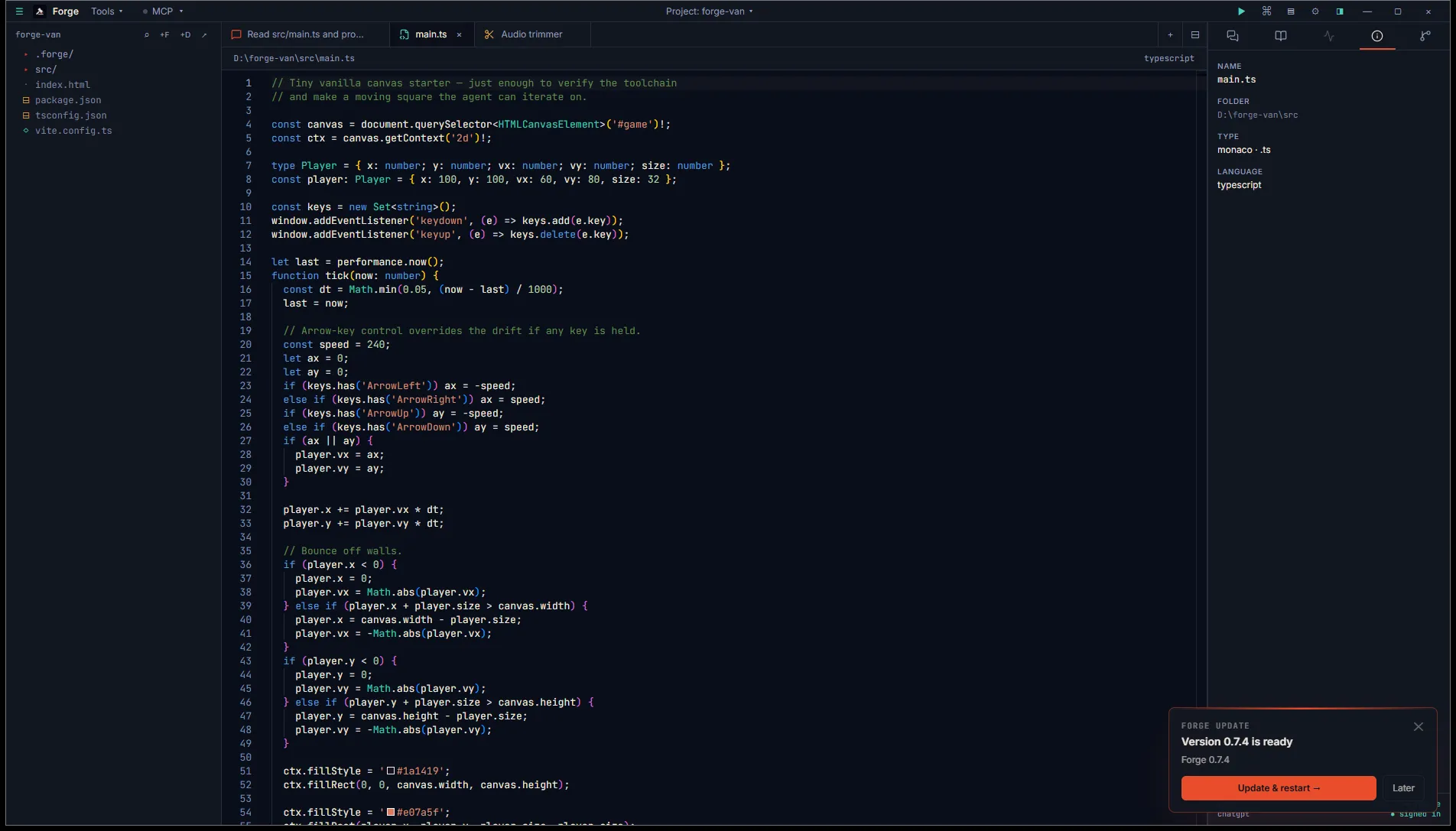
Dismissal is per-session. There’s no “skip this version forever” option, mostly because alpha builds shouldn’t be skipped.
What happens during install
Section titled “What happens during install”- Forge downloads the new MSI to a temp folder.
- The signature is verified.
- The MSI runs in elevated mode (Windows UAC prompt).
- Forge closes itself and the new version launches.
Your sessions database, skills, scratchpad memory, and per-project .forge/ folders are all preserved. The update only replaces the application binary.
If the update fails
Section titled “If the update fails”If the signature check fails, Forge logs the error and leaves the banner visible. You can retry by clicking Update and restart again, or sign in to ranga.ai/account and download the latest installer manually.
If the install itself fails (corrupt download, antivirus interference), the existing version keeps running. No partial state. Try again later.
Channels
Section titled “Channels”Forge currently ships a single update channel: stable. Multiple channels (beta, nightly) are coming so you can opt into earlier builds in exchange for more bugs. Until then, every install is on stable.