
Hotkeys
Forge has two layers of keyboard shortcuts. Workspace-level bindings are owned by Forge and are listed below. Editor-level shortcuts (Ctrl+S to save, Ctrl+F to find, etc.) come from Monaco when a code tab is focused.
Workspace bindings
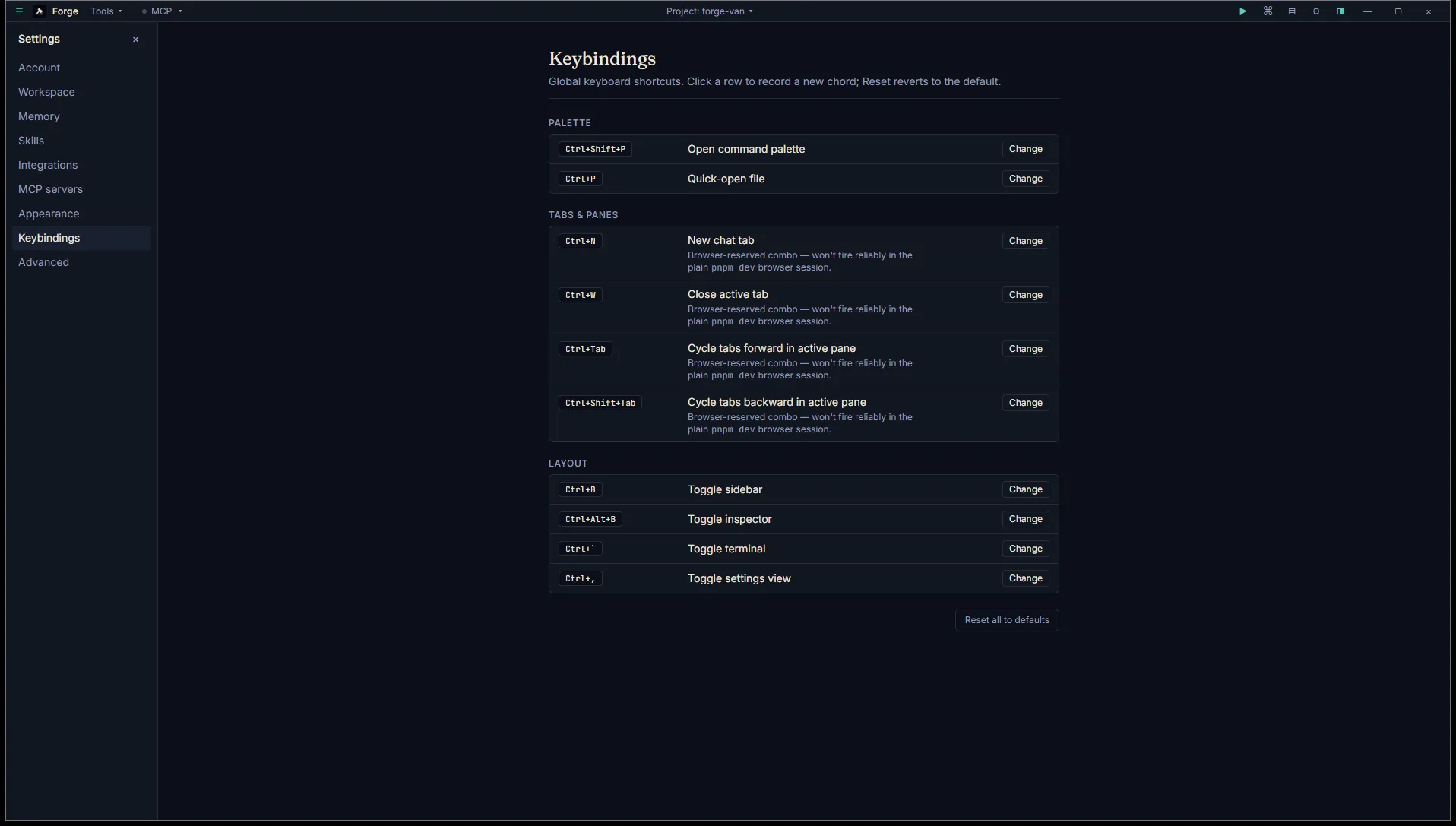
Section titled “Workspace bindings”All ten bindings are customizable. Open Settings → Keybindings, click any row, press the new chord, save.
Palette
Section titled “Palette”| Action | Default chord |
|---|---|
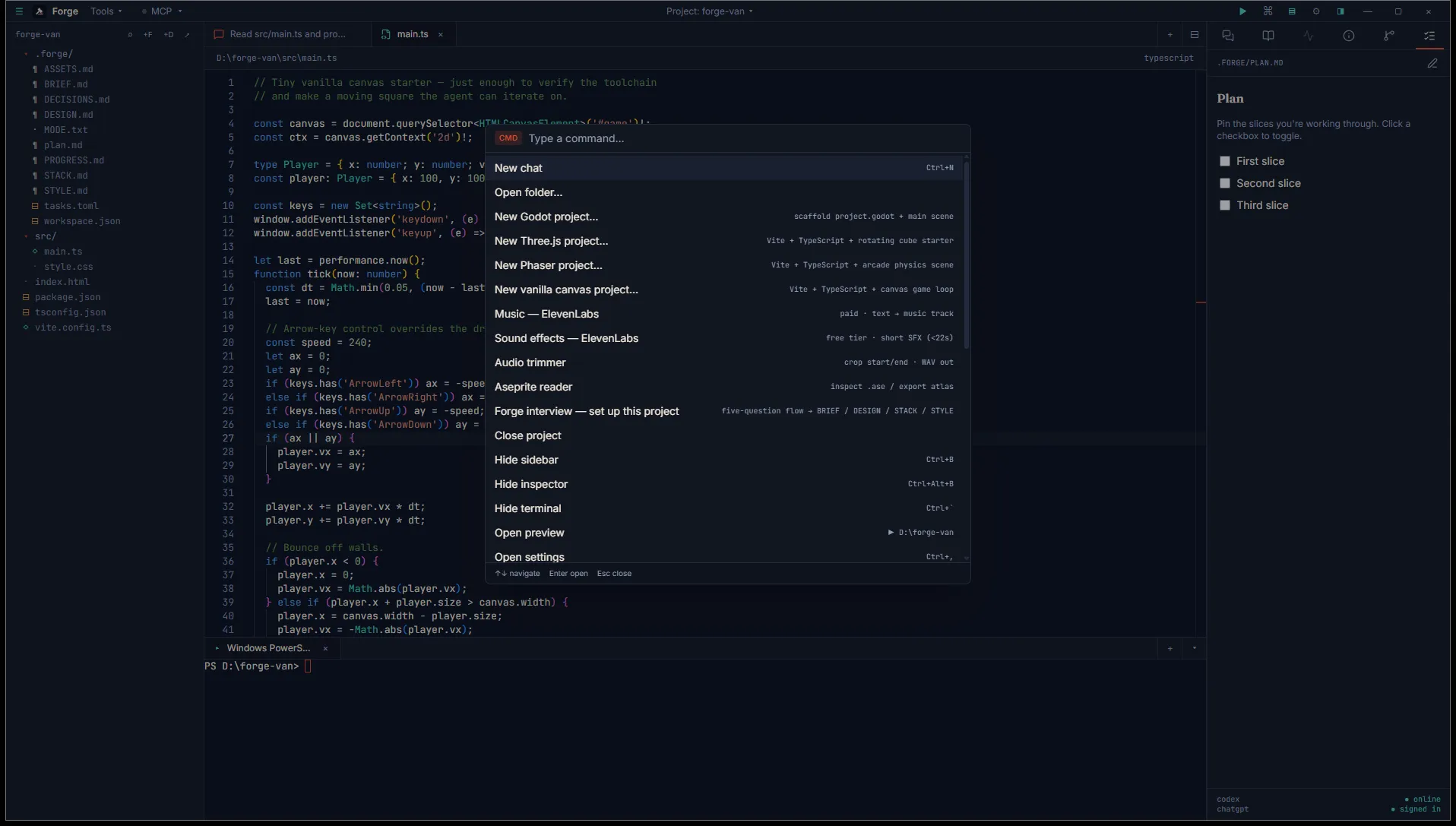
| Open command palette | Ctrl+Shift+P |
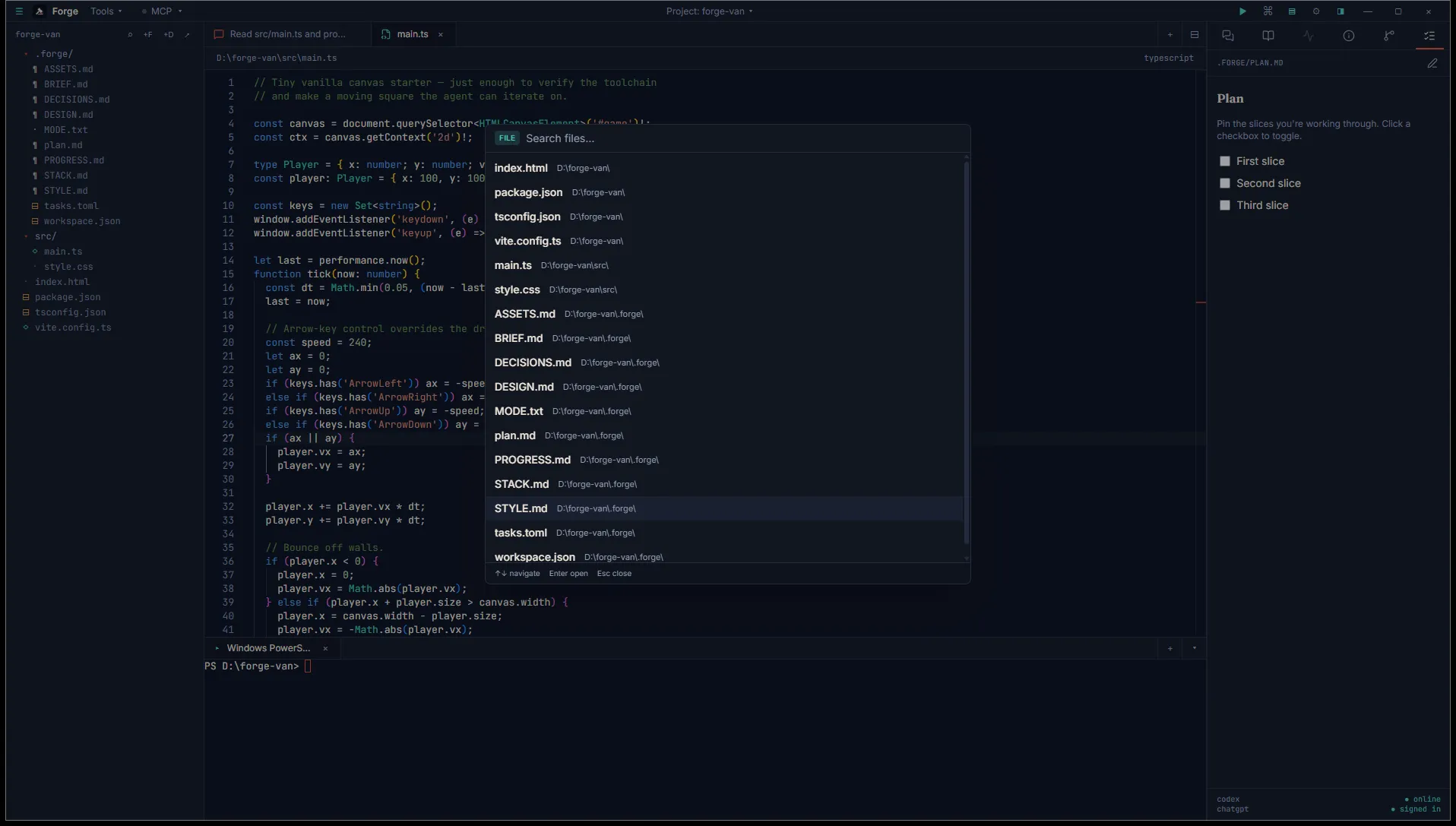
| Quick-open file | Ctrl+P |
The command palette filters across commands, tasks, and recent projects. Quick-open filters across files in the current project.
Tabs and panes
Section titled “Tabs and panes”| Action | Default chord |
|---|---|
| New chat tab | Ctrl+N |
| Close active tab | Ctrl+W |
| Cycle tabs forward (active pane) | Ctrl+Tab |
| Cycle tabs backward (active pane) | Ctrl+Shift+Tab |
Tab cycling stays within the active pane. To move between panes, click into the pane you want.
Layout
Section titled “Layout”| Action | Default chord |
|---|---|
| Toggle sidebar | Ctrl+B |
| Toggle inspector | Ctrl+Alt+B |
| Toggle terminal panel | Ctrl+` |
| Toggle settings view | Ctrl+, |
Editor bindings (Monaco)
Section titled “Editor bindings (Monaco)”When a code or markdown tab has focus, Monaco’s defaults take over. Forge doesn’t intercept these:
| Action | Chord |
|---|---|
| Save | Ctrl+S |
| Find | Ctrl+F |
| Replace | Ctrl+H |
| Find and replace across files | Ctrl+Shift+F |
| Go to line | Ctrl+G |
| Add cursor above | Ctrl+Alt+↑ |
| Add cursor below | Ctrl+Alt+↓ |
| Comment toggle | Ctrl+/ |
| Format document | Shift+Alt+F |
Monaco’s full reference applies. These are from VS Code’s keymap.
Customizing
Section titled “Customizing”Settings → Keybindings shows every workspace binding with its current chord. Click Change on a row, hit the new key combo, confirm. Conflicts (two bindings on the same chord) are flagged before save.
To reset everything, hit Reset all to defaults at the bottom of the panel.
Some chords are browser-reserved
Section titled “Some chords are browser-reserved”Ctrl+N, Ctrl+W, and Ctrl+Tab are conventional browser shortcuts. Forge intercepts them at the window level when running as a desktop app. In the Tauri-packaged build (the MSI you installed), this works reliably.
If you ever run Forge from pnpm dev in plain Chromium for development, these chords may misbehave because the browser claims them first. The Settings panel marks affected bindings with an info badge.
Editor-vs-Forge precedence
Section titled “Editor-vs-Forge precedence”When focus is in a Monaco editor, Monaco wins. Forge’s bindings still fire if the chord doesn’t conflict with a Monaco shortcut. The cleanest example: Ctrl+B (toggle sidebar) is Forge-owned, fires regardless of where focus is. Ctrl+F (find) is Monaco-owned when an editor has focus, and not bound in Forge anyway.