
Music (ElevenLabs)
The Music tab calls ElevenLabs’ Music API to generate full-length tracks from a prompt. Output is royalty-free and trained on a licensed catalogue, so it’s safe to ship in commercial games.
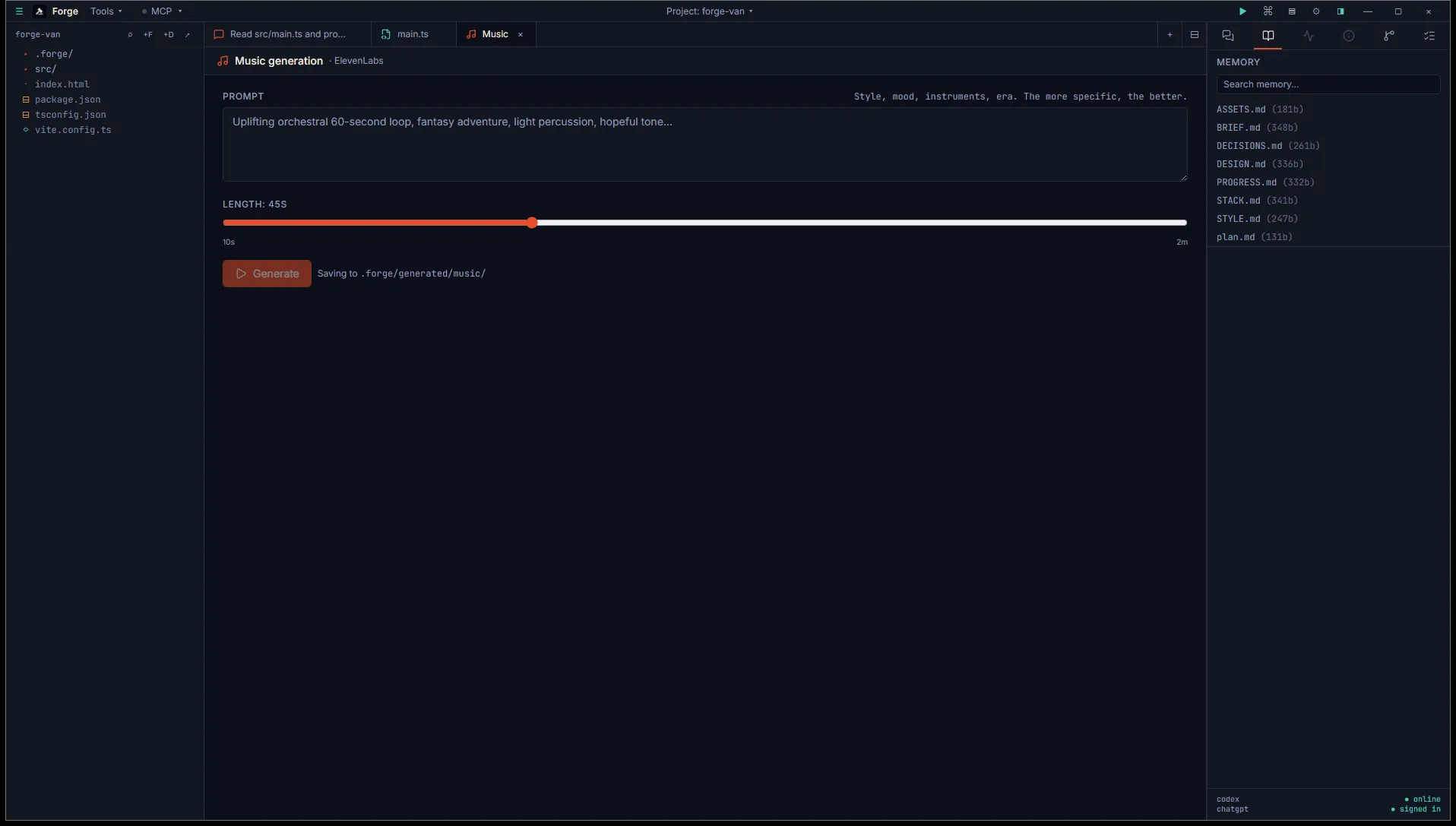
Open it
Section titled “Open it”Title bar Tools menu, then Asset generation (BYO key), then Music — ElevenLabs.
Music generation requires a paid ElevenLabs plan. The free tier doesn’t include it. Add your API key in Settings → Integrations → ElevenLabs (the same key works for Voice, SFX, and Music).
Use it
Section titled “Use it”Two inputs:
- Prompt. Style, mood, instruments, era. The clearer you are, the closer the result lands. “Driving electronic underscore for a tense stealth section, mid-tempo, no drums until the second half” beats “spy music.”
- Length slider. 10 to 120 seconds in 5-second increments.
Click Generate. The request is async and may take 30 seconds or so. The button animates while it runs. When the track arrives, an inline player appears with autoplay.
Output
Section titled “Output”MP3 saved to <project>/.forge/generated/music/<timestamp>.mp3. Each generation is logged to ASSETS.md with the prompt and length so you can find it later.
The result card has two affordances:
- Trim opens the Audio trimmer with this file pre-loaded.
- Engine import lands the file in your engine’s import folder for the active project (the location depends on engine: Unity goes under
Assets/Audio/, Godot goes underassets/audio/).
- Generation is fire-and-forget. There’s no progress bar; the player just appears when the track is ready.
- Closing the tab during a generation doesn’t cancel it. The MP3 still saves to disk; you just lose the inline preview.