
Run a task from the palette
Tasks are the named shell commands you’ll run most often: dev server, tests, build, lint, deploy. Define them once, run them with one keystroke.
1. Open .forge/tasks.toml
Section titled “1. Open .forge/tasks.toml”Forge created it the first time you opened the project. Find it in the project explorer under .forge/tasks.toml, or open the project root and look for the .forge/ folder.
2. Add a task
Section titled “2. Add a task”[[task]]id = "test"label = "Run tests"command = "pnpm test"id is the slug (used by the agent and by the setup_task pointer in [preview]). label is what shows in the palette. command is what gets run.
3. Run it
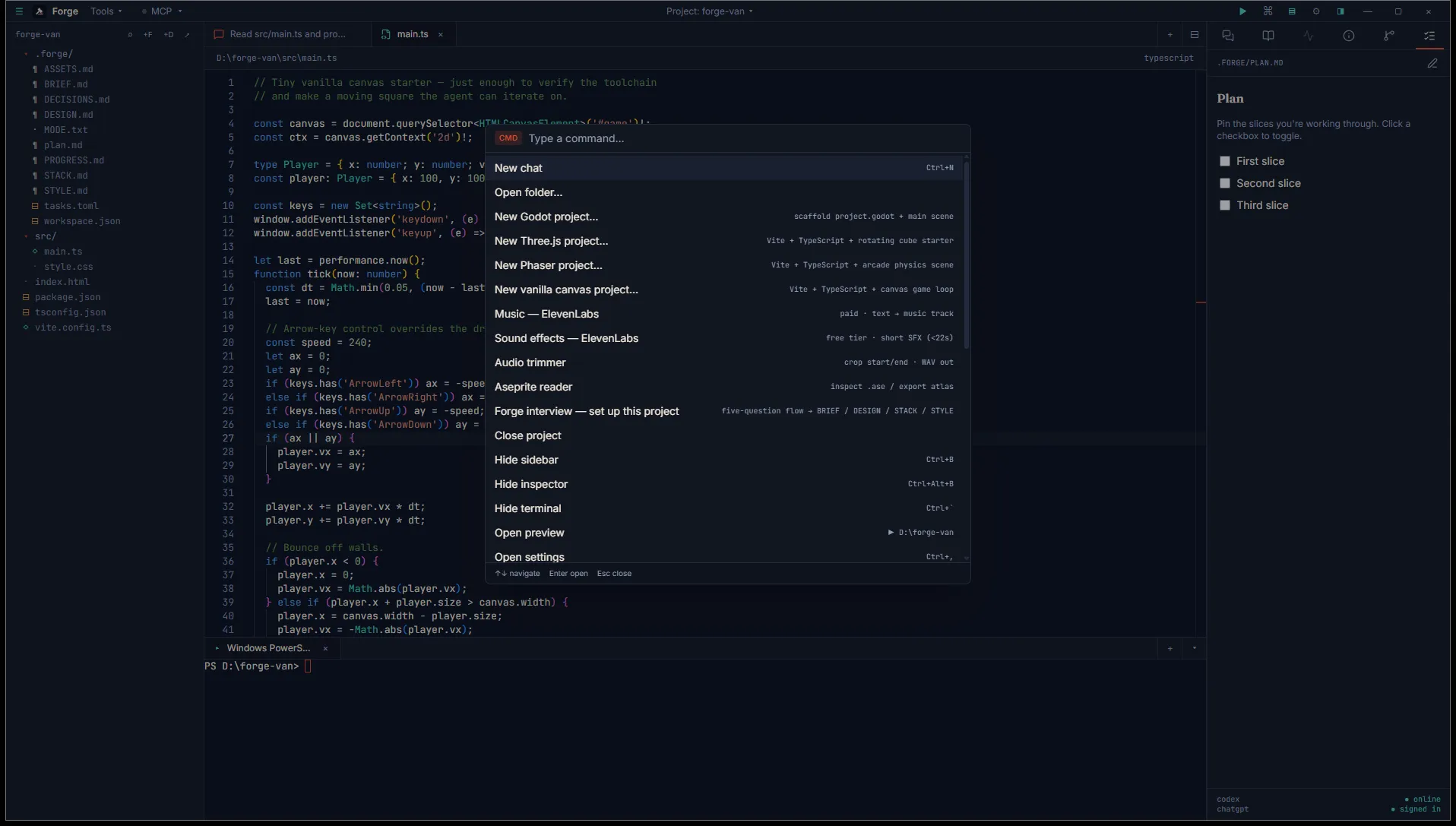
Section titled “3. Run it”Ctrl+Shift+P opens the command palette. Type the label or “task” to filter.
> Task: Run testsPress Enter. Forge spawns a fresh terminal session, types your command, and submits it. Output streams in the bottom panel.
That’s it
Section titled “That’s it”The full tasks.toml shape, optional shell field, the [preview] section, and engine environment variables (UNITY_PATH, GODOT) are documented in Tasks runner.