
Sound effects (ElevenLabs)
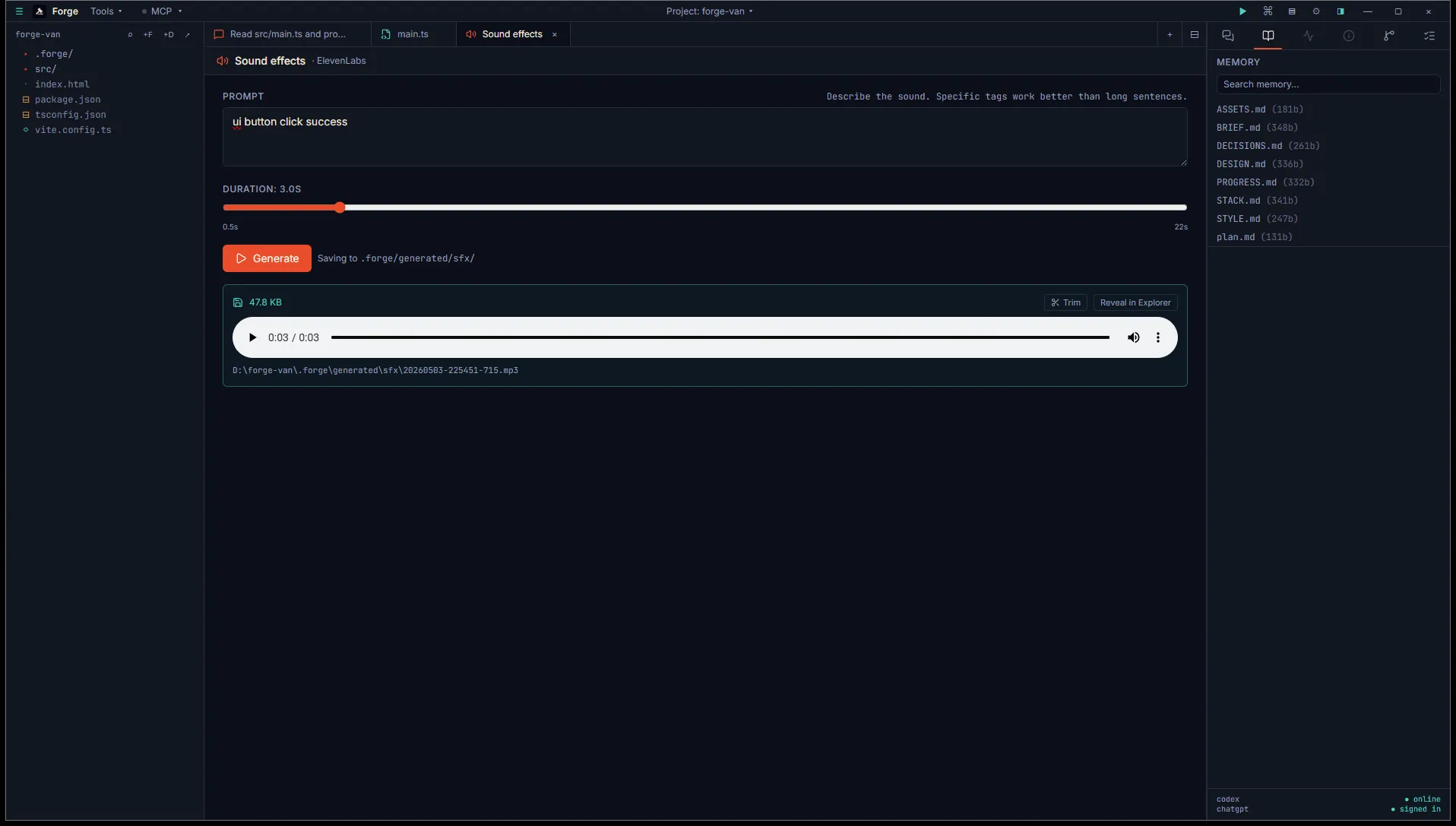
The Sound effects tab generates short audio clips: button clicks, footsteps, hits, magic, ambience cues. Backed by ElevenLabs’ Sound Effects endpoint.
Open it
Section titled “Open it”Title bar Tools menu, then Asset generation (BYO key), then Sound effects — ElevenLabs.
Same ElevenLabs API key as Voice and Music. Add it in Settings → Integrations → ElevenLabs.
Use it
Section titled “Use it”Two inputs:
- Prompt. Tag-style works well:
UI button click, soft, low-frequency, sci-fi. Be specific about texture, timing, and mood. - Duration slider. 0.5 to 22 seconds in 0.5-second increments.
Click Generate. The button animates briefly. When the clip arrives, the inline player previews it.
Output
Section titled “Output”MP3 saved to <project>/.forge/generated/sfx/<timestamp>.mp3. Logged to ASSETS.md.
Trimming generated SFX
Section titled “Trimming generated SFX”ElevenLabs sometimes pads its output with leading silence or trails off after the effect. The result card has a Trim button that opens the Audio trimmer with this clip pre-loaded so you can crop it down to the exact slice you need.
The trimmer exports a 16-bit PCM WAV, which is what most engines expect for short SFX anyway. Generated MP3 → trimmed WAV → drop into your engine.
- Hard cap at 22 seconds. For longer cues, generate multiple clips and layer them in a DAW, or use Music generation for ambience-length needs.
- Same fire-and-forget shape as Music. No progress bar, the player appears when ready.