
Generate art, audio, and 3D
Forge’s asset generation lives in three places: the Asset studio (dedicated tabs per vendor with explicit inputs and BYO API keys), the chat itself (gpt-image-2 fires automatically when the agent decides an image would help), and the agent-driven asset loop where the agent calls Forge MCP tools and drops inline preview cards back into chat with one-click open-in-editor buttons.
Both share the same <project>/.forge/generated/ folder so your assets stay organised regardless of how they were produced.
When to use which
Section titled “When to use which”Use the Asset studio when:
- You have a clear input you want to control (a specific Scenario model, a fixed length, a preferred art style).
- You want repeatable generations.
- The output format matters (GLB for Meshy, FBX for DeepMotion).
- You’re producing a batch of assets in one stack.
Use in-chat image generation when:
- The agent is mid-explanation and an image would make the point faster.
- You want concept art on the fly.
- You don’t want to leave the chat to spin up a tab.
Set up your keys
Section titled “Set up your keys”Asset studio tools need vendor API keys. Add them once in Settings → Integrations:
- ElevenLabs for voice, music, and sound effects (one key, used for all three).
- Meshy for 3D mesh generation.
- Scenario for sprite generation (key + secret pair).
- DeepMotion for motion capture (key + secret pair).
Forge stores keys in your Windows Credential Manager. The frontend never sees the secret again after you paste it.
The free tiers of ElevenLabs and Meshy are usable for prototyping. Music (ElevenLabs) requires a paid plan. Scenario and DeepMotion are paid services with trial credits on signup.
Generate
Section titled “Generate”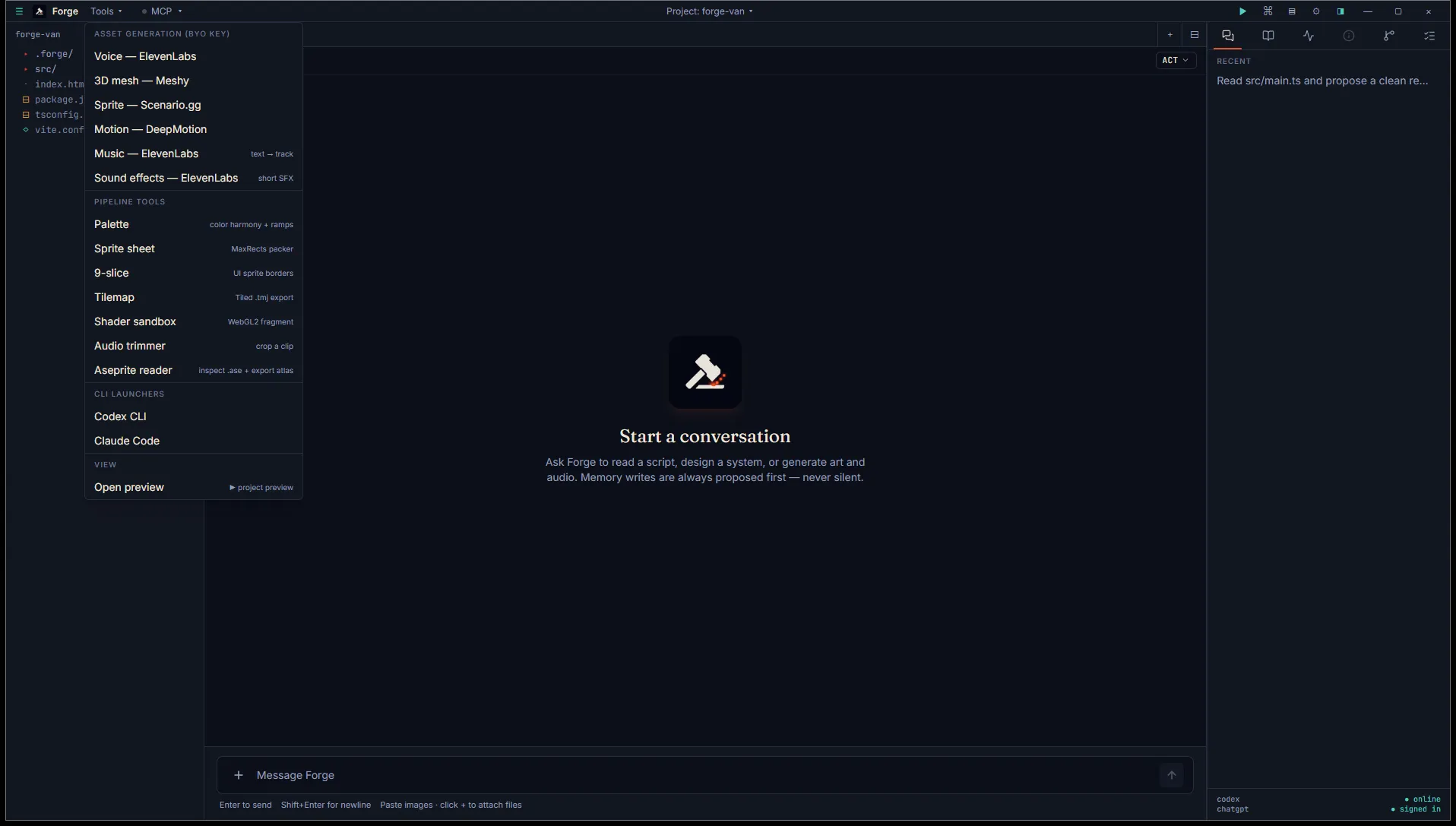
Open the Tools menu in the title bar, pick Asset generation (BYO key), then pick the vendor. Each tab is documented separately:
For in-chat images, just ask the agent. See In-chat image generation.
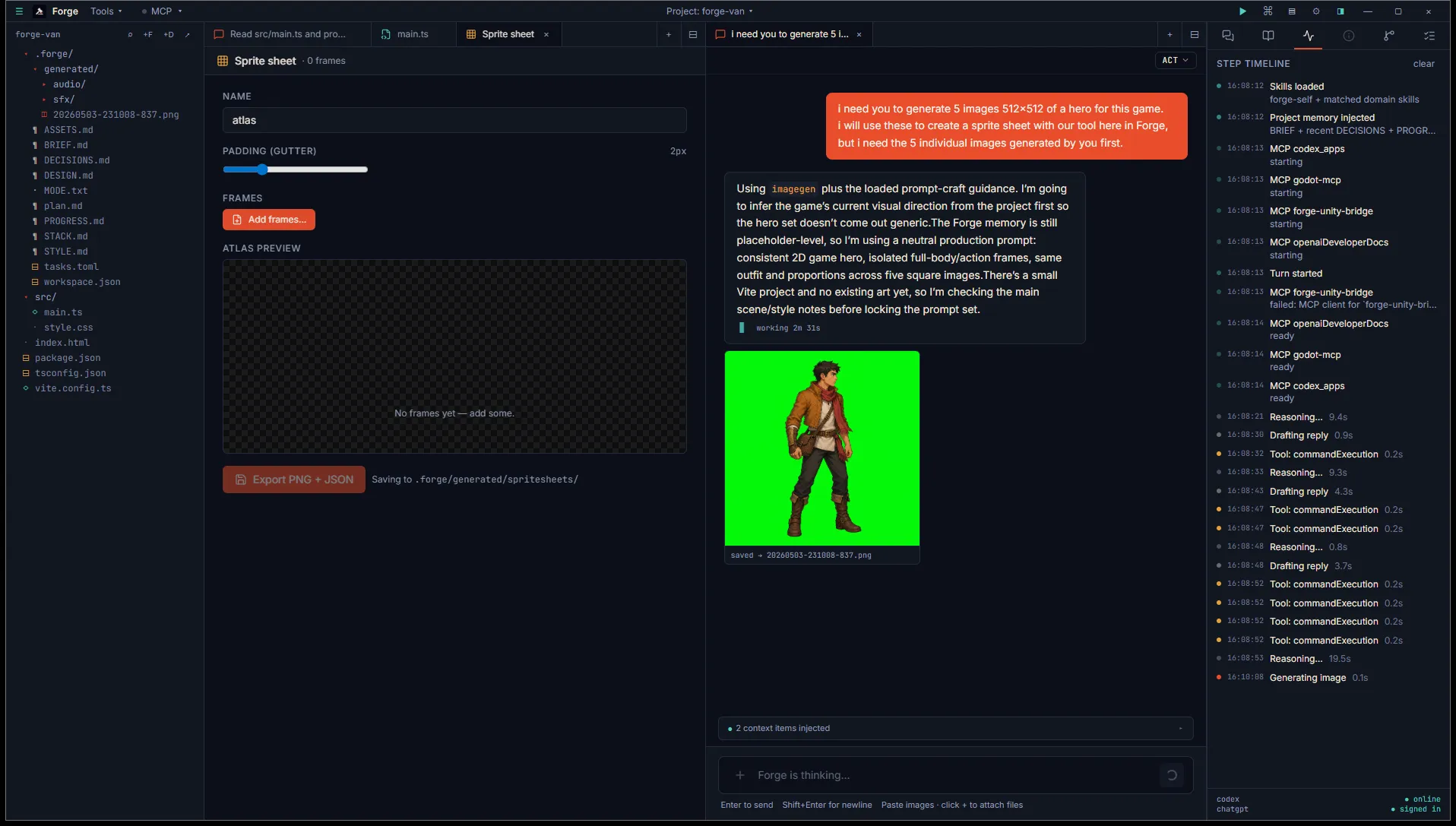
Where assets land
Section titled “Where assets land”By default:
- Project mode:
<project>/.forge/generated/<kind>/<timestamp>.<ext> - Open mode:
~/.forge/scratchpad/generated/<kind>/<timestamp>.<ext>
Each generation logs an entry to ASSETS.md (project mode) or scratchpad/ASSETS.md (open mode) capturing the prompt, vendor, and key parameters. The agent reads this back later when you ask “what did we already make for X?”
Polishing
Section titled “Polishing”Generated audio and image output often needs a small polish pass:
- Audio: trim leading silence or cut to length with the Audio trimmer.
- Sprites: pack multiple generations into one atlas with the Sprite sheet packer.
- Color reference: pull a Palette out of a generated image to lock in your art direction.
The Pipeline tools section covers each of these in depth.