
In-chat image generation
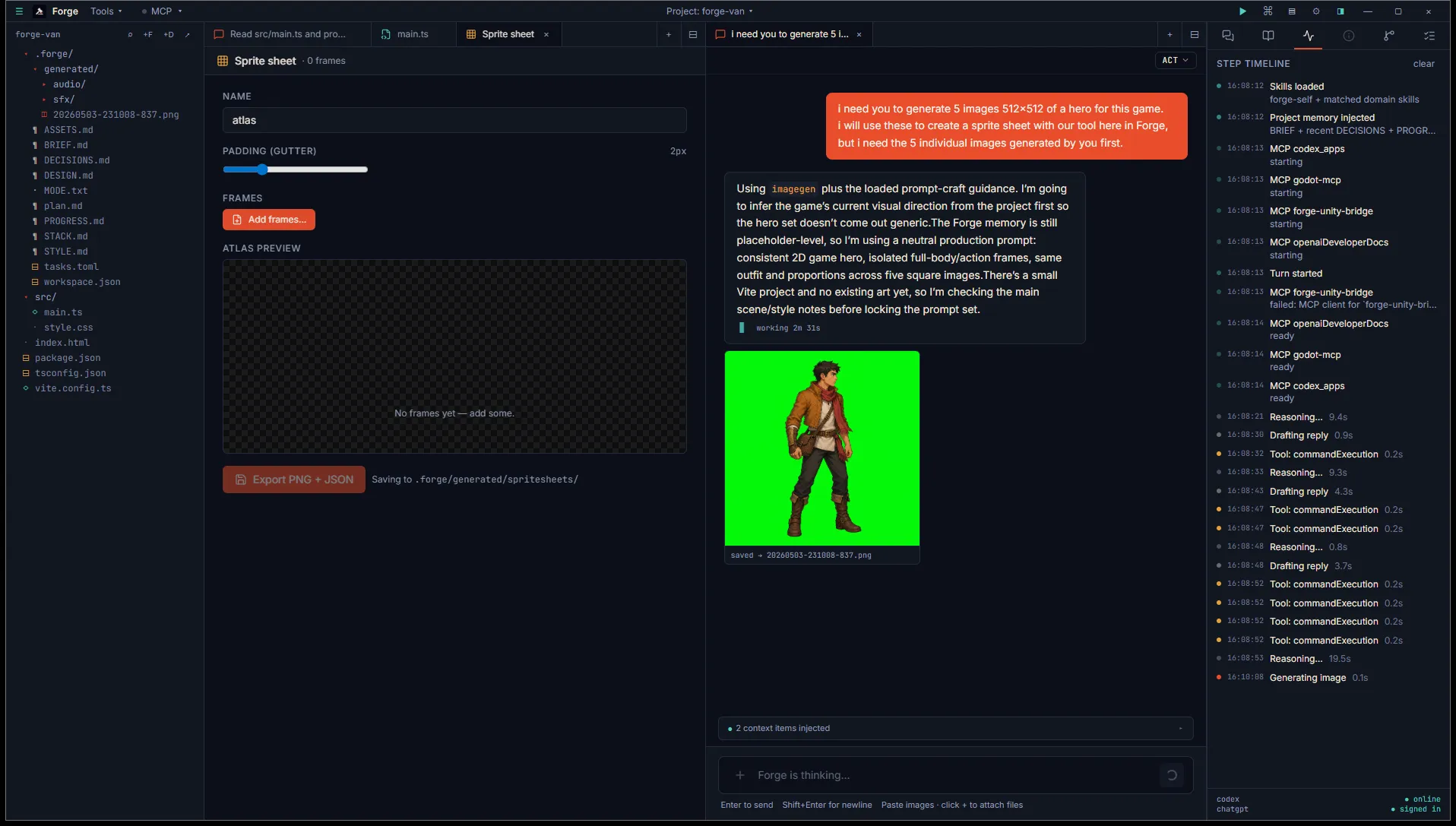
When the agent decides an image would help, it generates one inline using your ChatGPT plan. There’s no separate tab to open and no extra API key to manage. The image appears in the chat thread next to the message that prompted it.
How it fires
Section titled “How it fires”Ask the agent for an image and it picks up the request:
- “Generate concept art for a steampunk airship.”
- “Mock up a UI button in three states.”
- “Make me a sprite sheet reference for a four-frame walk cycle.”
The agent calls Codex’s built-in imageGeneration tool, which uses gpt-image-2 by default. The tool runs against your ChatGPT plan’s image quota, so you don’t need a separate billing relationship.
You can override the model in Settings → Account → Image model if your plan exposes alternatives.
In the chat
Section titled “In the chat”While generation is in flight, the message shows a “generating image…” indicator. When the result arrives, the image renders inline at thumbnail size. Click to expand, drag the image out of Forge to export, or right-click for save and copy options.
Auto-saved
Section titled “Auto-saved”Each generated image is saved to disk automatically:
- Project mode:
<project>/.forge/generated/<timestamp>.png - Open mode:
~/.forge/scratchpad/generated/<timestamp>.png
The agent also proposes a memory write to ASSETS.md capturing the prompt, the revised prompt (gpt-image-2 sometimes refines what you asked for), and the timestamp. Approve the proposal to log the asset alongside the others in your project.
When to use which
Section titled “When to use which”The Asset studio tabs are better when:
- You want repeated generations against a trained model (Scenario for sprites in your style).
- You need a specific output format (GLB for Meshy, FBX for DeepMotion).
- You want clear inputs and a controlled workflow.
In-chat image generation is better when:
- The agent is mid-conversation and an image would land an explanation faster than text.
- You want concept art in flow rather than as a deliberate step.
- You don’t want to leave the chat to spin up a tab.
Both share the same .forge/generated/ folder so your assets stay organised regardless of how they were generated.