
MCP servers
The Model Context Protocol is a standard for exposing tools and data sources to language model agents. Forge can connect to any MCP server, spawn it as a subprocess, and route the agent’s tool calls through it.
The most useful application: connecting Forge to engines and tooling that aren’t built in. The Forge Unity Bridge is itself an MCP server. Godot has a community MCP server. You can write your own.
Server list
Section titled “Server list”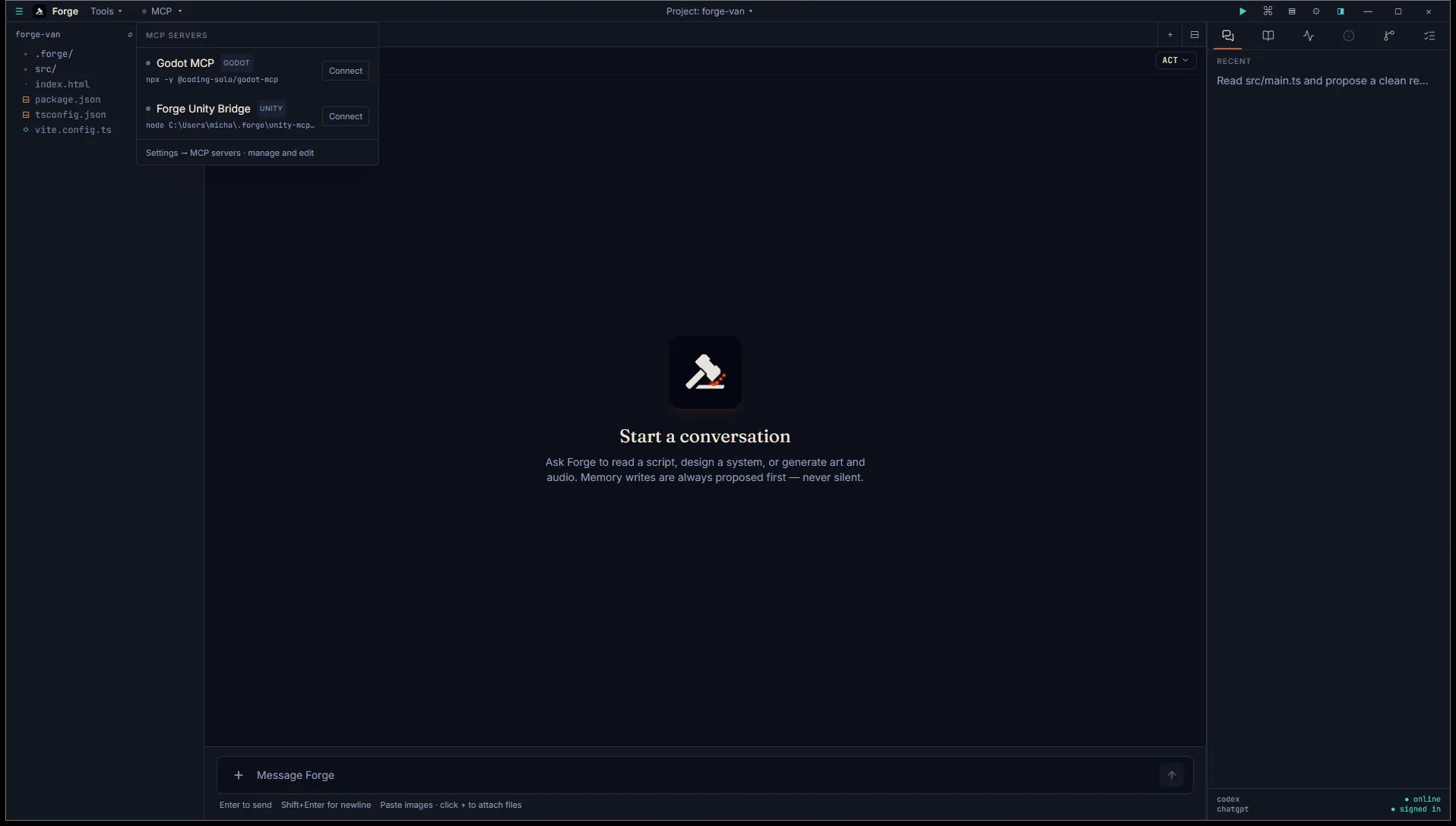
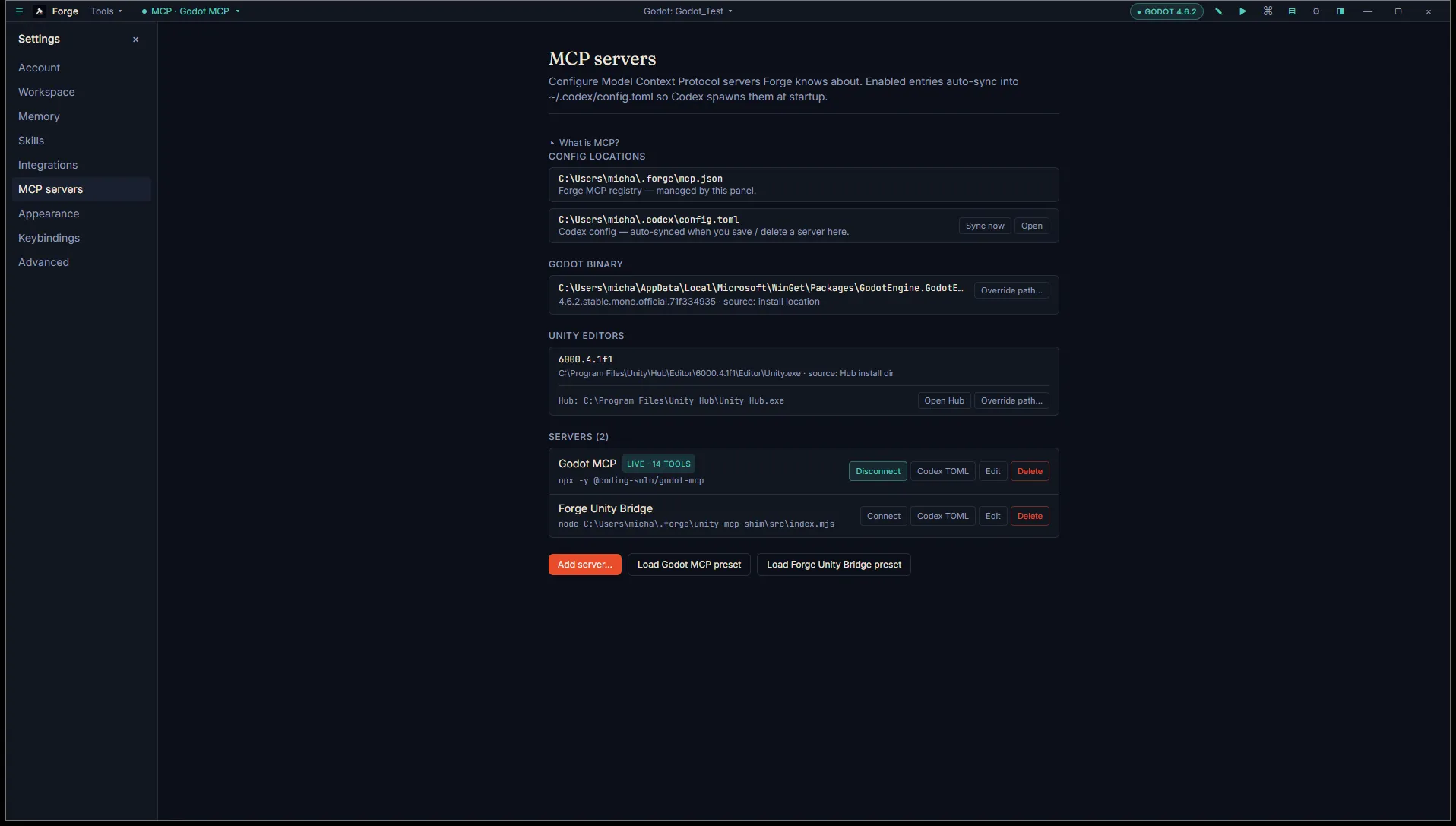
The MCP menu in the title bar lets you connect or pause servers without leaving the chat. For full configuration, open Settings → MCP to see your configured servers. Each row shows:
- Name and command (what Forge spawns).
- Auto-connect mode: off, always, or match-project.
- Enabled toggle.
- Connect / Disconnect button when applicable.
- Edit and Delete affordances.
Forge maintains a single active client at a time. If you have two servers configured to auto-connect, the first one wins. Switching between projects can hand off the active client when their auto-connect modes are mode-scoped.
Adding a server
Section titled “Adding a server”Click Add server. Enter:
- Name: anything that helps you remember what this server does.
- Command: the executable to spawn. Often
npx,node,python, or a path to a binary. - Args: array of arguments passed to the command.
- Env: environment variables for the spawned process.
- Auto-connect: off, always, or match-project.
Forge spawns the subprocess with the configured command and pipes its stdio. The MCP handshake happens automatically.
What “connected” looks like
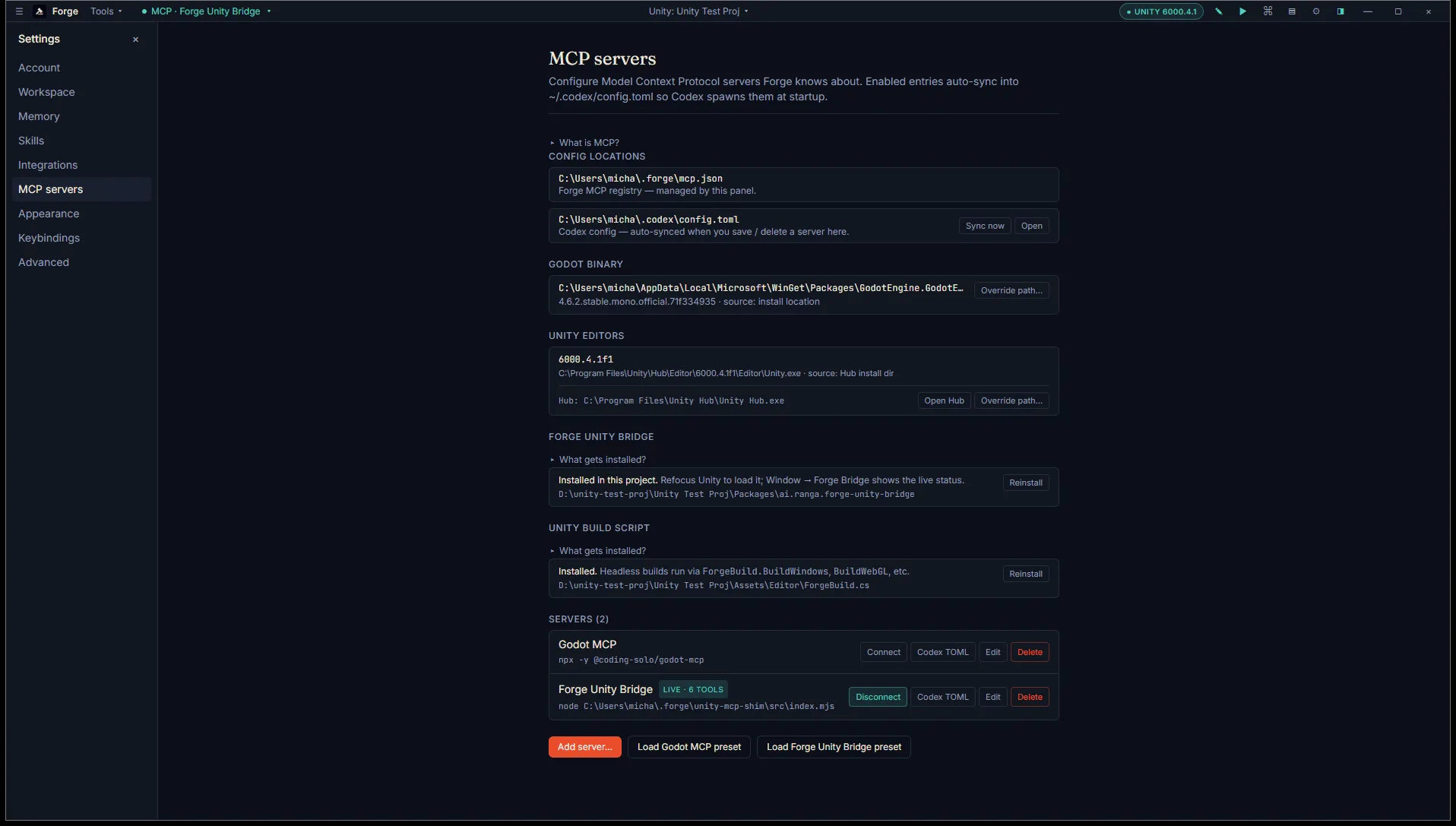
Section titled “What “connected” looks like”When a bundled preset is connected, the row shows a LIVE badge with the tool count and the action flips to Disconnect. Engine-specific install affordances appear inline when the matching project type is open.
Built-in presets
Section titled “Built-in presets”Two presets ship with Forge:
- Forge Unity Bridge: the bridge installed into your Unity project at
Packages/ai.ranga.forge-unity-bridge/. Forge uses a node shim to translate MCP stdio into the bridge’s TCP protocol. Auto-connects in match-project mode while you have a Unity project open. - Godot MCP: the community-maintained Godot MCP server. Useful if you want the agent to interact with a running Godot Editor over MCP.
Click Load Forge Unity Bridge preset or Load Godot MCP preset in the MCP panel to add either with sane defaults.
What the agent sees
Section titled “What the agent sees”When a server is connected, Forge calls the MCP tools/list method on the server and adds the result to the Codex tool registry at the start of each chat thread. The agent sees the tools alongside its built-in ones (file edit, shell, image generation) and can call them through the same JSON-RPC channel.
If the server pushes async events (the Unity Bridge does this for live console and selection changes), Forge subscribes and forwards them into the relevant Inspector tabs.
Marketplace
Section titled “Marketplace”There isn’t one yet. A curated list of high-quality MCP servers is on our roadmap. Until then, self-hosted servers and the two presets are the supported path.
What’s next
Section titled “What’s next”- Connect Unity bridge for the Unity-specific MCP setup.
- Skills system for how skills integrate with MCP-provided context.