
Tilemap editor
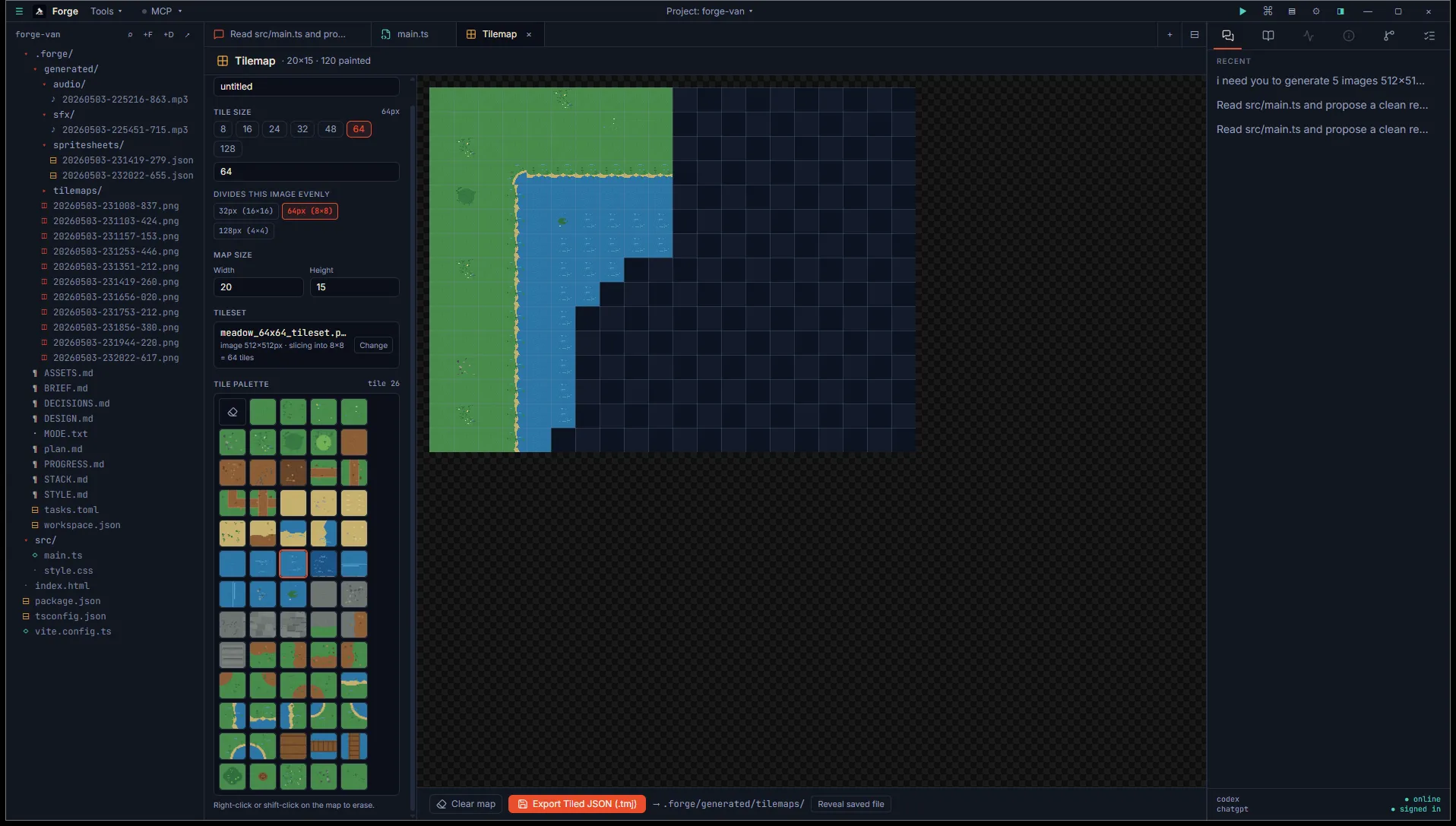
The Tilemap tab is a single-layer tile painter. Drop in a tileset image, set tile and map dimensions, paint a level, export to Tiled JSON.
Open it
Section titled “Open it”Title bar Tools menu, then Pipeline tools, then Tilemap.
Inputs
Section titled “Inputs”- Tileset image. Single PNG. Forge auto-slices it by tile size.
- Tile size. 8 to 512 pixels per tile. Buttons offer common sizes (8, 16, 24, 32, 48, 64); a custom input handles non-standard sizes. Sizes that divide your tileset image evenly are highlighted.
- Map size. Width and height in cells, max 128 each.
The left rail holds these inputs plus a tile palette grid showing all sliced tiles. The right canvas is where you paint.
Painting
Section titled “Painting”- Left-click or drag on the canvas to paint the selected tile.
- Right-click or shift-click to erase.
- The header shows a count of filled cells.
- A checkerboard background ensures empty cells don’t get mistaken for filled ones.
There is no undo. Hit Clear map if you need to start over (with a confirmation toast so you don’t lose work to a stray click).
Output
Section titled “Output”A Tiled-compatible .tmj file saved to <project>/.forge/generated/tilemaps/<timestamp>.tmj. Empty cells are 0; filled cells are tile index + 1 (Tiled convention with firstgid=1).
{ "width": 32, "height": 18, "tilewidth": 16, "tileheight": 16, "layers": [ { "name": "Tile Layer 1", "type": "tilelayer", "data": [0, 1, 1, 0, ...] } ], "tilesets": [ { "image": "../path/to/tileset.png", "firstgid": 1, ... } ]}Caveats
Section titled “Caveats”- Single layer only. Multiple layers, object layers, and brush-fill (paint a region) are on our roadmap.
- Changing the tile size re-slices the tileset and clears the map. Likewise for changing map dimensions.
- This isn’t a Tiled replacement. It’s a quick-iteration tool for prototyping levels and small testbeds. For real game levels with multiple layers, properties, and animations, export to Tiled and continue editing there.