
Quickstart: Web (Three.js / Phaser / vanilla)
For browser-based games, Forge ships a complete loop: scaffold a starter, install dependencies with one click, run a live dev server, and let the agent turn your project brief into a playable prototype. This guide walks the full path.
Prerequisites
Section titled “Prerequisites”- Node 22 or later.
- pnpm 10 (
npm install -g pnpmif you don’t have it). - An empty folder to scaffold into.
1. Scaffold a starter
Section titled “1. Scaffold a starter”Two paths get you to the same place:
Title-bar dropdown. Click Open ▾ in the title bar and pick one of the four scaffold options — Three.js, Phaser, Vanilla canvas, or Godot. Forge prompts for a folder, writes the starter files into it, and opens the project.
Open an empty folder. If you open an empty folder via Open ▾ → Open project, Forge offers a one-shot project type chooser that doubles as a scaffold:
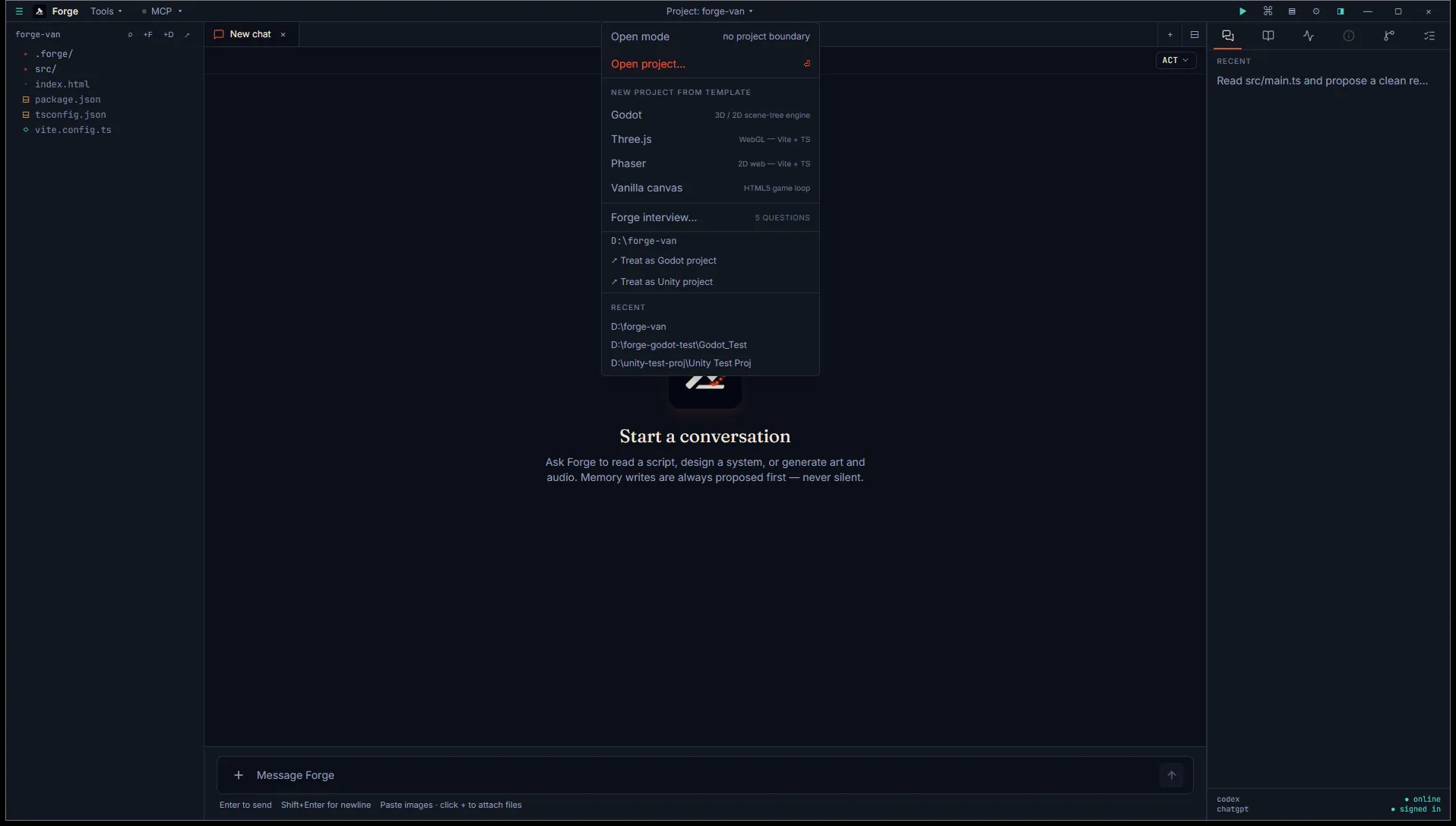
Pick a sub-type, leave the Also scaffold starter files checkbox on (default), and Forge writes package.json, vite.config.ts, index.html, src/main.ts, and a .forge/tasks.toml pre-wired for the preview tab.
Existing files are preserved in either path — the scaffold won’t overwrite anything you’ve already written, with one exception: it does replace the empty
.forge/tasks.tomlskeleton that Forge plants on every project open, so the[preview]block lands.
2. Install dependencies
Section titled “2. Install dependencies”Click ▶ Preview in the title bar (the play icon, far right). Forge tries to spawn pnpm dev and fails with a friendly error block:
Dependencies not installed. Run
pnpm installin the project root, then start preview again.
A Run setup button appears under the message. Click it — Forge pops the terminal panel with pnpm install already running. When it finishes (typically 5-30s), click Start preview in the Preview tab.
The scaffold’s [preview] block looks like this if you ever want to inspect or edit it:
[[task]]id = "setup"label = "Install dependencies (pnpm install)"command = "pnpm install"
[[task]]id = "dev"label = "Vite dev server"command = "pnpm dev"
[preview]command = "pnpm dev"setup_task = "setup"
The setup_task pointer is what wires the Run setup button. If you omit it, Forge falls back to running pnpm install. See Web preview for the full schema.
3. Open in a browser
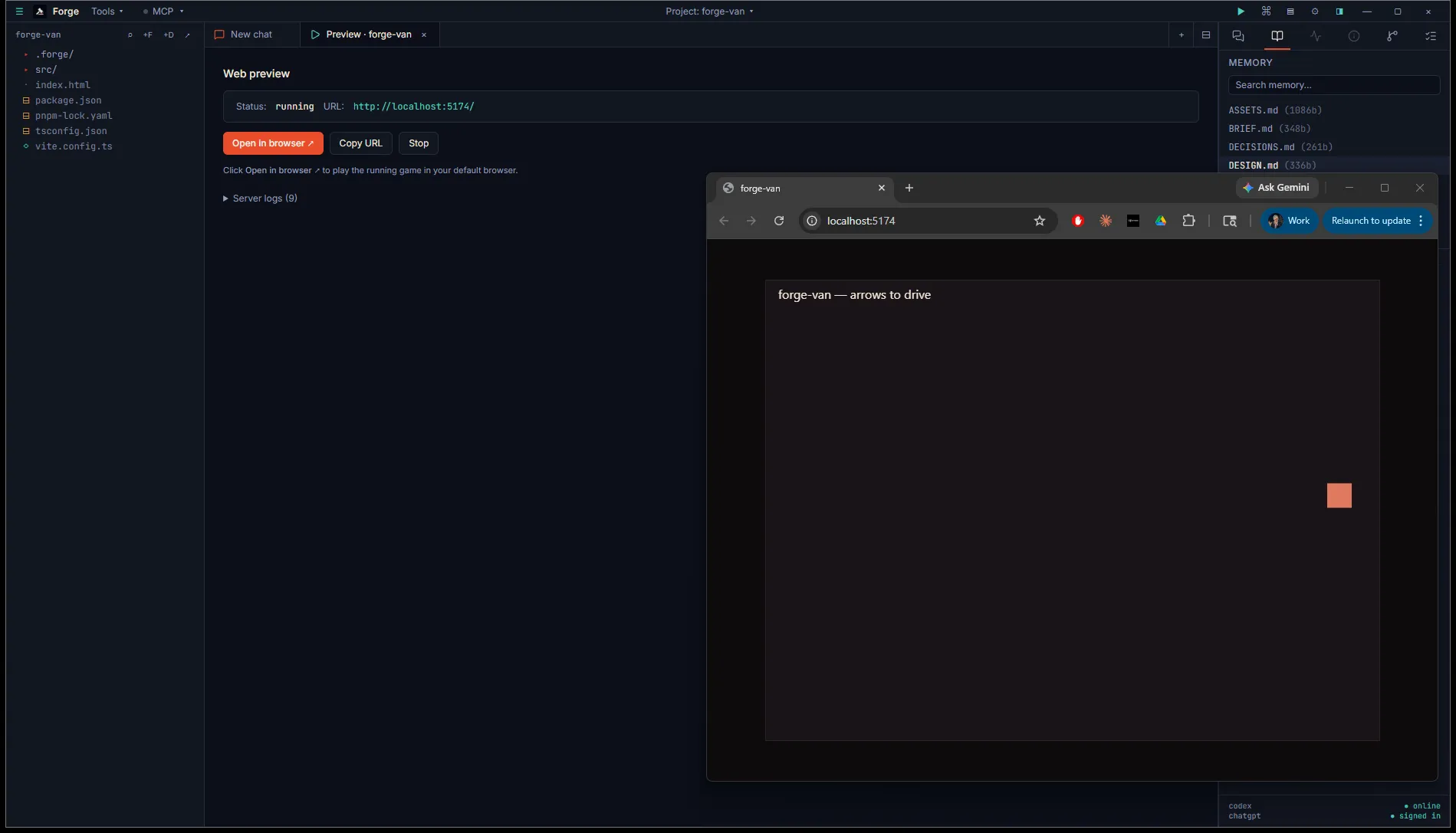
Section titled “3. Open in a browser”Once the dev server publishes a URL (Vite typically hits http://localhost:5174/), the Preview tab flips to Status: running with Open in browser ↗, Copy URL, and Stop buttons. Click Open in browser — Forge hands the URL to your default browser.
Save a file in your editor and the browser hot-reloads. Forge isn’t doing the reload itself; that’s your dev server. If hot reload isn’t working, that’s a dev-server config issue, not a Forge issue.
4. Brief the project (optional but recommended)
Section titled “4. Brief the project (optional but recommended)”The fastest way to get the agent productive on a new project is the Forge interview — a 5-question conversation that writes BRIEF / DESIGN / STACK / STYLE memory files. Open it from the title bar mode dropdown (it appears at the bottom of the menu) or the command palette (Ctrl+Shift+P → “Forge interview”).
Five short answers — pitch, target platform, art style, audio style, solo/team + timeline — and the agent emits four forge-propose cards. Click Approve on each to write the files. The agent then has structured context for every subsequent prompt in this project.
5. Ask the agent to ship
Section titled “5. Ask the agent to ship”With a brief in place, ask the agent to build something:
Turn this scaffold into a playable prototype matching the BRIEF and STYLE.
The agent reads your memory files, edits src/main.ts, and the running dev server hot-reloads the result.
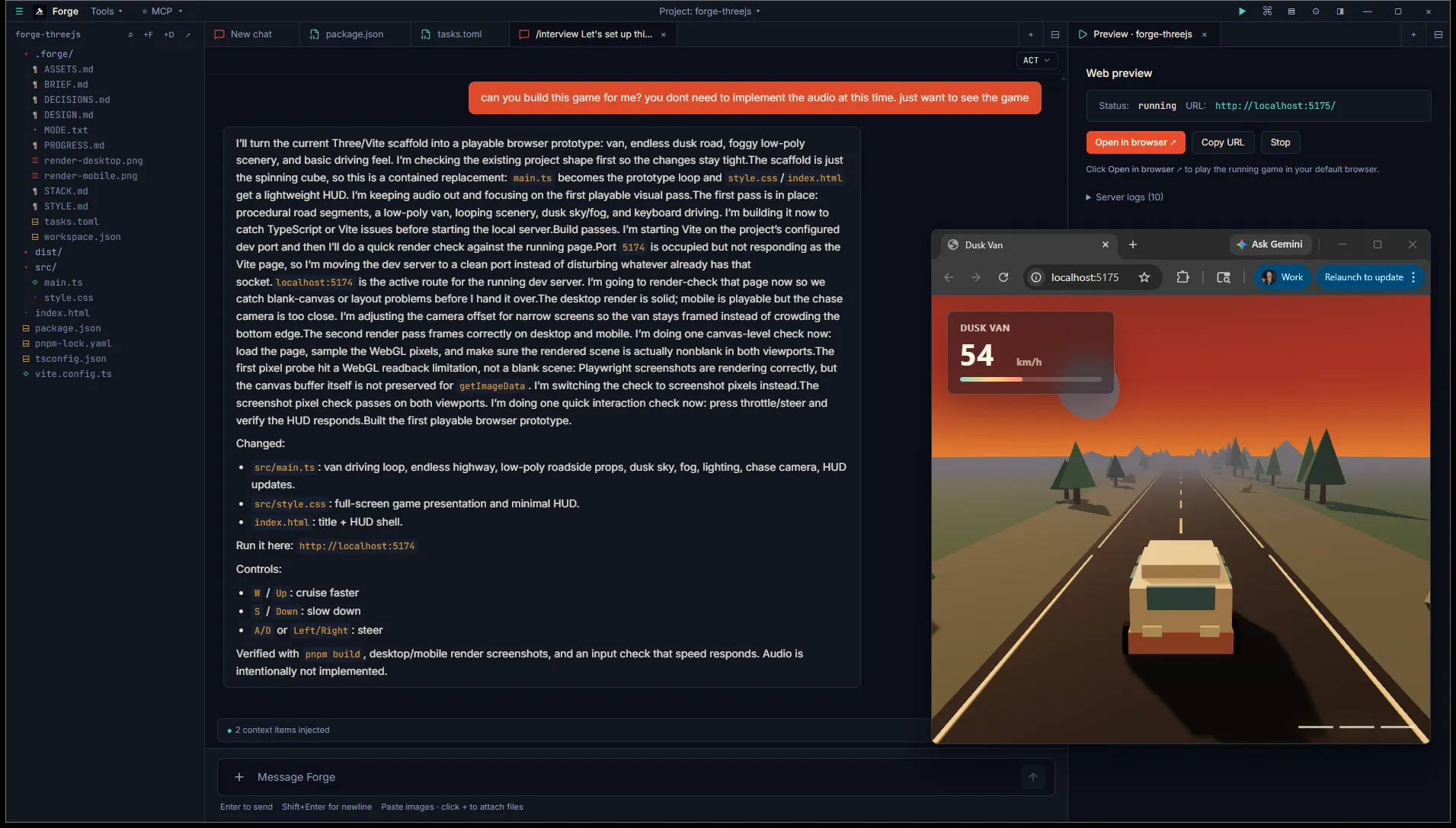
This shot is from a real session: the BRIEF described a “meditative 3D driving game with sunset highways and lofi audio for chill players.” The agent shipped exactly that — a playable van prototype with chase camera, fog, mountains, and a speed HUD — in one turn.
What’s next
Section titled “What’s next”- Web preview covers the Preview tab schema in detail (custom URLs, port overrides, multiple servers).
- Tasks runner goes deeper on
.forge/tasks.toml— build commands, headless tests, custom shells. - Generate art, audio, and 3D covers the asset studio for browser games.
- Deploy a web game covers itch.io, Crazy Games, and Steam HTML5.