
GDScript outline
The Outline tab in the Inspector is a quick way to navigate a GDScript file without scrolling. It activates whenever a .gd file is the active workspace tab.
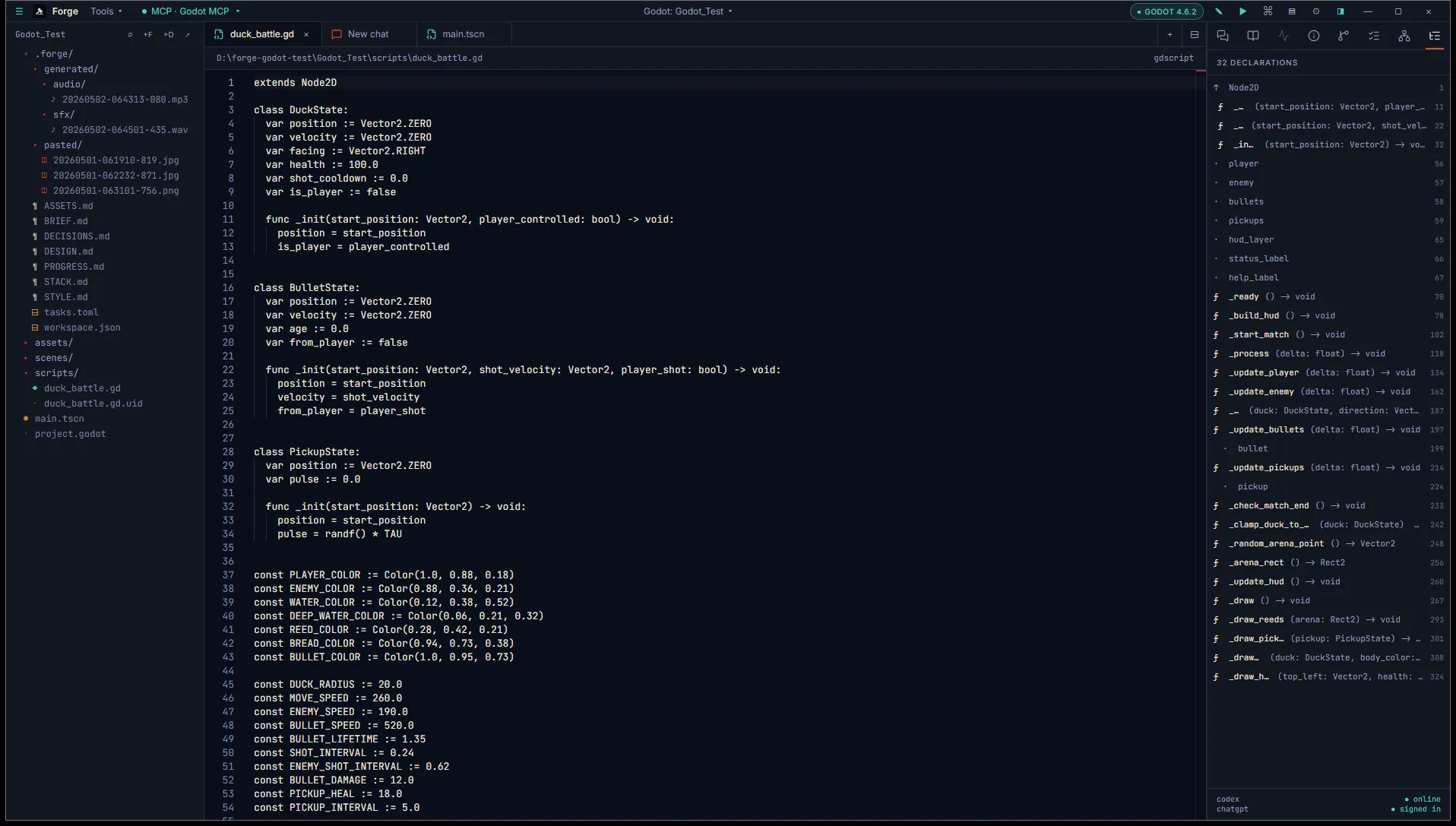
What it lists
Section titled “What it lists”For the active script, the Outline shows:
- Class name (from
class_name X). - Extends (the base type).
- Exported variables (anything tagged
@export). - Member variables (other
vardeclarations at file scope). - Methods (
func ...). - Signals (
signal ...). - Inner classes (nested
class X:blocks).
Click any entry and Monaco scrolls to its definition.
Parsing
Section titled “Parsing”The Outline is a regex pass over the script text. It runs on every save and on tab focus. There is no language server backing it.
That has consequences worth knowing:
- Unusual syntax (multi-line declarations, heavy use of decorators) might be missed.
- Type information is shown as written. The Outline doesn’t infer types or follow imports.
- The Outline is descriptive, not navigational across files. To jump from one script to another, use the project explorer or quick-open (Ctrl+P).
A real LSP-backed outline (using gdscript-language-server) is on our roadmap. Until then, the regex approach is fast and good enough for the common cases.
What’s next
Section titled “What’s next”- Scene tree inspector for the related Scene tab.
- Edit code with diff review for how the agent proposes GDScript changes.