
Scene tree inspector
Godot scenes are plain text. Forge takes advantage of that and parses .tscn files directly, no Editor connection required. The Inspector’s Scene tab renders the parsed tree and lets you click around.
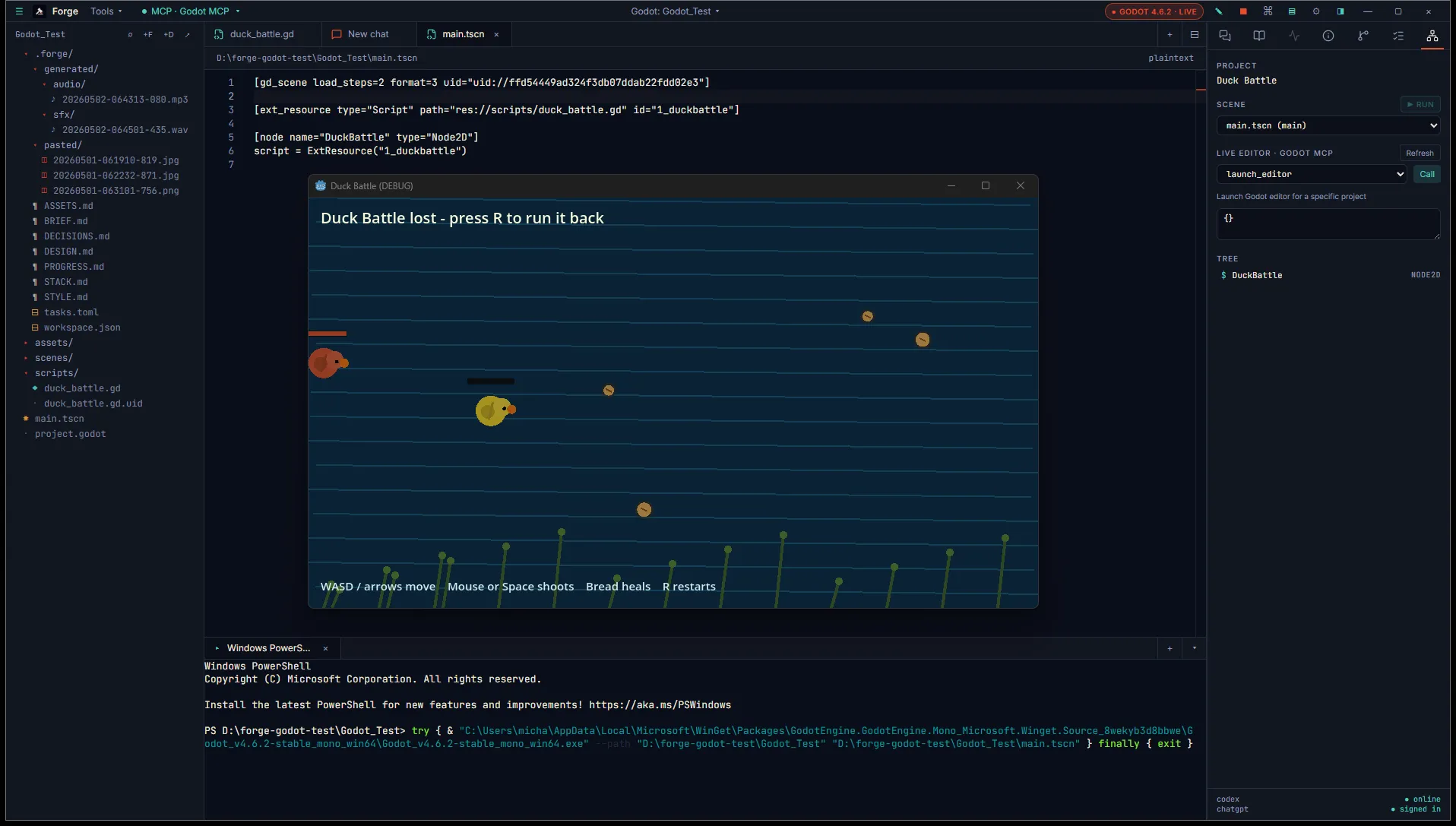
The shot above shows the Godot Editor running the project alongside Forge after pressing ▶ Run in the Inspector’s project panel.
Where it appears
Section titled “Where it appears”When you open a Godot project, the Inspector grows a Scene tab. Click any .tscn file in the project explorer and the tab fills with the parsed node tree.
The view tracks whichever scene file is most recently focused. If multiple scenes are open as workspace tabs, the Scene tab shows the one whose tab is active.
What’s in the tree
Section titled “What’s in the tree”Each node in the tree shows:
- Name: from the scene file.
- Type: the Godot class (
Node2D,CharacterBody2D, custom script names). - Indent: child relationships from the scene’s parent paths.
- Markers: nodes with a script attached are flagged so you can spot them at a glance.
The render is read-only. Editing a scene means editing the .tscn directly (which the agent can do with diff-card review) or using the Godot Editor.
Click behavior
Section titled “Click behavior”Clicks navigate, they don’t edit:
- Click a node with a script opens the
.gdfile in a Monaco tab. The Outline tab populates with that script’s members. - Click an instance node (a node that’s actually a sub-scene) swaps the Scene tab over to that sub-scene’s tree. Useful for drilling into a composed scene without leaving the Inspector.
There’s a back-link in the Scene tab header to return to the parent scene after drilling in.
Auto-refresh
Section titled “Auto-refresh”When the file watcher detects a change to .tscn files in the project, Forge re-parses and updates the tree. Saves from the Godot Editor land in Forge within about a second and a half (the watcher is debounced).
This means you can keep the Godot Editor and Forge open side by side. Edit in Godot, watch the tree update in Forge, ask the agent about what you just changed.
What this isn’t
Section titled “What this isn’t”The Scene tab does not connect to a running Godot Editor. Selections in Forge don’t ping Godot, and selections in Godot don’t appear in Forge. The on-disk file is the source of truth for both.
A live editor bridge (similar to the Unity bridge’s TCP server) is on our roadmap. Until then, file-based parsing covers the common cases without needing Godot to be running at all.
What’s next
Section titled “What’s next”- GDScript outline covers the Outline tab that pairs with this view.
- Build mode covers headless exports.