
Workspace tab kinds
The central pane of the Forge workspace is a tabbed editor surface. Every tab has a kind that determines what it renders. Most you’ll open by clicking files in the project explorer or picking from the Tools menu; a few open automatically when the agent generates an asset of the matching shape; a few are agent-driven.
Content tabs
Section titled “Content tabs”| Kind | Opens via | What it shows |
|---|---|---|
| chat | Ctrl+N, command palette → New chat | Conversation surface. Messages, mode chip, prompt input. |
| monaco | Click code file in explorer | Code editor with syntax highlighting. Save with Ctrl+S. |
| markdown | Click .md file in explorer | Source / rendered split view. Memory files default to rendered. |
| image | Click .png / .jpg / .webp / .gif / .svg | Pan + zoom viewer with size and color depth metadata. |
| audio | Click .wav / .mp3 / .ogg | Inline player with waveform and clip metadata. |
| preview | Tools menu → View → Open preview | Web preview control panel. |
Asset studio tabs
Section titled “Asset studio tabs”Open from Tools menu → Asset generation (BYO key). Each is documented under Custom tools.
| Kind | Vendor | Output format |
|---|---|---|
| voice | ElevenLabs | MP3 |
| music | ElevenLabs | MP3 |
| sfx | ElevenLabs | MP3 |
| mesh | Meshy | GLB |
| sprite | Scenario.gg | PNG |
| motion | DeepMotion | FBX |
Pipeline tool tabs
Section titled “Pipeline tool tabs”Open from Tools menu → Pipeline tools or by clicking a matching asset file. Each is documented under Custom tools.
| Kind | Purpose | Auto-opens for |
|---|---|---|
| palette | Color harmonies and ramps | .palette.json |
| spritesheet | MaxRects atlas packing | .spritesheet.json |
| tilemap | Single-layer tile painting | .tilemap.tmj |
| shader | WebGL2 fragment sandbox | .glsl / .frag (with descriptor) |
| aseprite | .ase reader | .ase / .aseprite |
| audiotrim | Audio cropping | (Tools menu only) |
Scene editor tabs
Section titled “Scene editor tabs”Forge ships visual editors for the data-driven scene formats the starter bundles use. Each auto-opens when you click a matching file in the explorer or when the agent emits a forge-link pointing at one.
| Kind | Auto-opens for | What it shows |
|---|---|---|
| platformerscene | .platformer-scene.json | Side-scroller painted-ground + entity spawn editor (platforms, pickups, enemy spawns, exit) |
| topdownscene | .topdown-scene.json | Top-down map viewport (x, z) for NPC and prop placement |
| scene3d | .scene3d.json | 3D adventure / arena scene loader (camera and prop placement) |
| dialog | .dialog.json | Branching dialogue node graph (linear / choice / terminal nodes, per-node voice id, emotion) |
| animation | .animation.json | Sprite-sheet animation clips (frames, fps, loop) |
| parallax | .parallax.json | Multi-layer scrollable scene editor (depth multipliers, layer ordering) |
The Platformer bundle uses platformerscene, animation, and parallax. The Top-down RPG bundle uses topdownscene, animation, dialog, palette, tilemap, and shader. The Narrative bundle uses dialog.
Project surfaces
Section titled “Project surfaces”| Kind | Opens via | What it shows |
|---|---|---|
| qa | Click .forge/qa/*.toml or Tools → QA | QA scenario browser. Lists Playwright scenarios per project, runs them via the harness. See QA playtest. |
| library | Sidebar → Library tab → expand to full screen | Full-screen Library browser with filters, search, tags. |
| gamemanager | Inspector → Systems → Game Manager → Open | The GameManager spine: registered systems, startup order, per-system editors. |
Agent-driven tabs
Section titled “Agent-driven tabs”| Kind | Opens via | What it shows |
|---|---|---|
| cli | Tools menu → CLI launchers (Codex CLI, Claude Code) | Terminal session running an external CLI tool. |
Tab management
Section titled “Tab management”Common operations:
- New chat tab:
Ctrl+N. - Close active tab:
Ctrl+W. - Cycle within active pane:
Ctrl+Tab/Ctrl+Shift+Tab. - Drag a tab to reorder within its pane.
- Drag a tab to a pane edge to split off into a new pane.
- Drag a tab out of bounds to detach into a new window.
When tabs overflow the strip width, a … menu appears at the right edge and horizontal scroll handles the rest. The pattern matches VS Code’s behaviour.
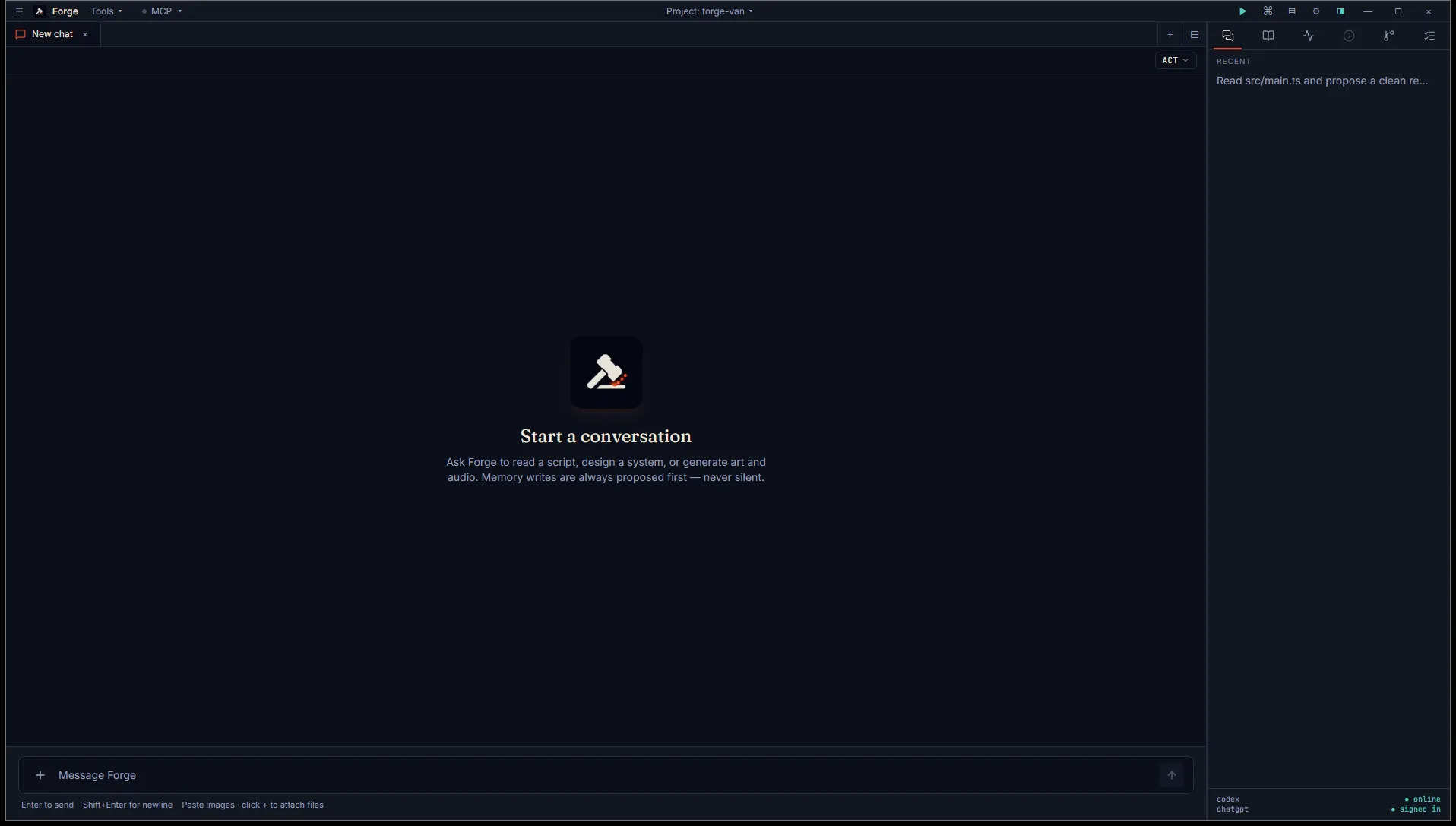
Toggle the sidebar with Ctrl+B for a focus mode that hides the project explorer.
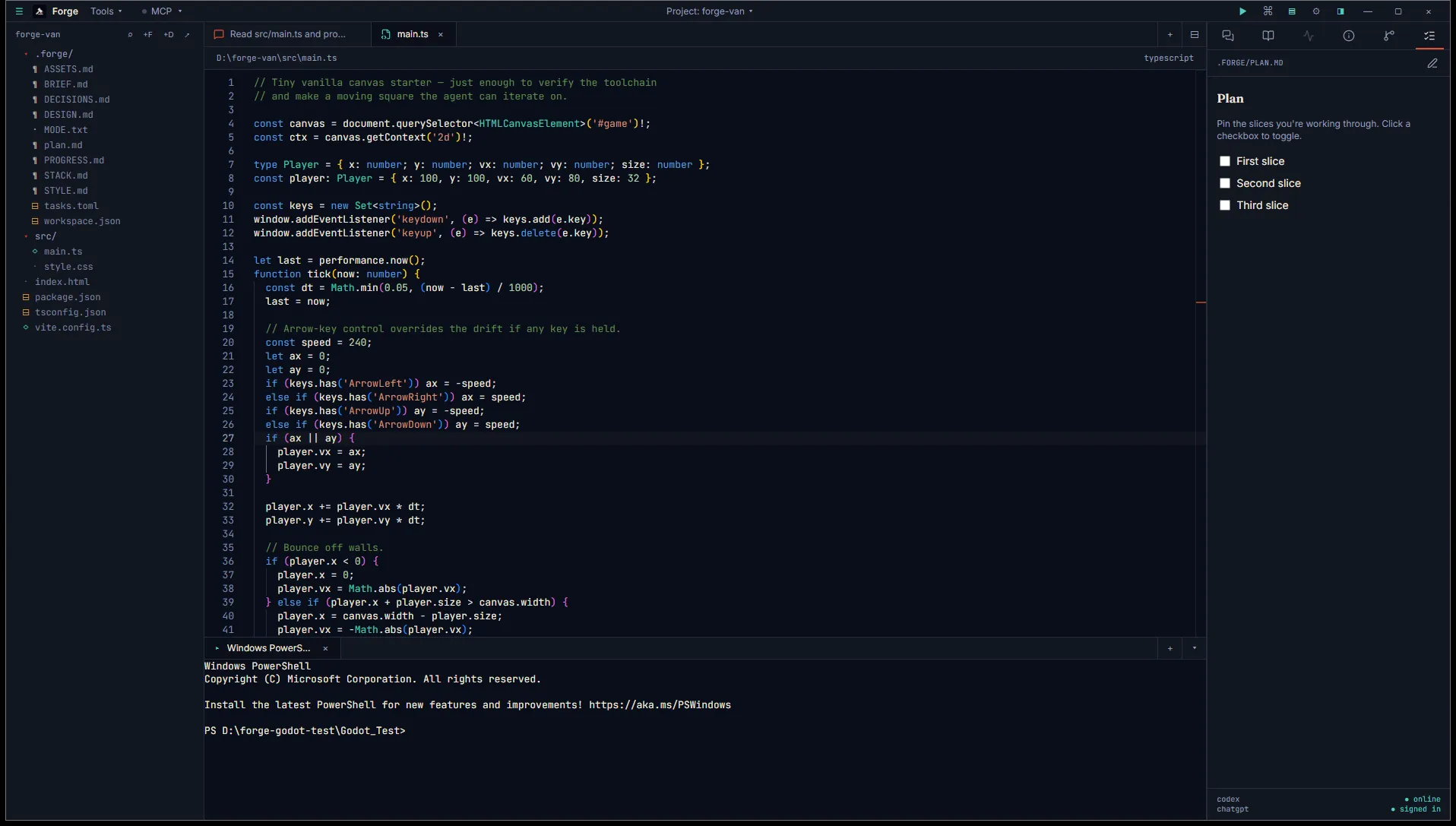
The bottom panel hosts a real PTY terminal session that you can split off per project task. Toggle it with Ctrl+`.
Persistence
Section titled “Persistence”Open tabs are written to <project>/.forge/workspace.json (project mode) or localStorage (open mode) so reopening a project restores the same layout. Most tab kinds restore by file path; chat tabs restore by session ID.
A few kinds intentionally don’t restore: asset studio tabs (in-flight generations would lose state) and audiotrim (the loaded buffer doesn’t survive). These open fresh next time.