
Agent-driven asset loop
The Asset studio tabs let you drive vendor-API generation by hand. The agent-driven asset loop lets the agent do the same thing, and wire the result straight back into your chat with a one-click open-in-tool button. You ask, you wait a few seconds, you preview, you click into the editor to tweak.
This page covers the loop end-to-end. Reference docs for the underlying primitives:
- Forge-link blocks — the inline preview cards.
- Forge MCP tools — the per-tool wire format.
Two-line summary
Section titled “Two-line summary”The agent calls a Forge MCP tool. Forge runs the operation, saves the
file under <project>/.forge/generated/<kind>/, and returns a
ready-to-paste forge-link block. The agent drops the block in chat;
the chat renders an inline preview card with a one-click open button.
What the agent can do
Section titled “What the agent can do”| Tool | What | Tier |
|---|---|---|
forge.list_voices | Return the user’s ElevenLabs voice list (call before generate_voice) | free |
forge.generate_voice | ElevenLabs TTS | free |
forge.generate_sfx | ElevenLabs SFX (0.5–22s) | free |
forge.generate_music | ElevenLabs Music (10–300s) | paid |
forge.generate_palette | 5-color palette from a curated theme or explicit hexes | local |
forge.generate_spritesheet | Pack pre-generated frames into one PNG + JSON descriptor | local |
forge.generate_tileset | Procedural tileset PNG (forest / dungeon / platformer / cave / scifi) | local |
forge.generate_tilemap | Procedural Tiled .tmj using a tileset | local |
forge.generate_shader | Save an agent-authored GLSL fragment shader | local |
forge.generate_parallax_layers | Stack pre-generated layer images with per-layer scroll multipliers | local |
forge.generate_platformer_level | Bundle tilemap + parallax + character into one level descriptor (tile-grid; best for top-down) | local |
forge.generate_platformer_scene | Painted ground silhouette + entity spawn points + parallax (no tile grid; best for side-scrolling art) | local |
forge.generate_animation_clips | Define named clips (idle / run / jump) against a sprite sheet | local |
forge.generate_dialog_tree | Branching dialog tree with per-node voice ids | local |
local = no vendor API call, no key needed. free and paid =
ElevenLabs key required.
Worked examples
Section titled “Worked examples”Palette in one turn
Section titled “Palette in one turn”Ask “generate me a sunset palette” and the agent picks the curated sunset theme. The card renders an inline swatch row right in chat:
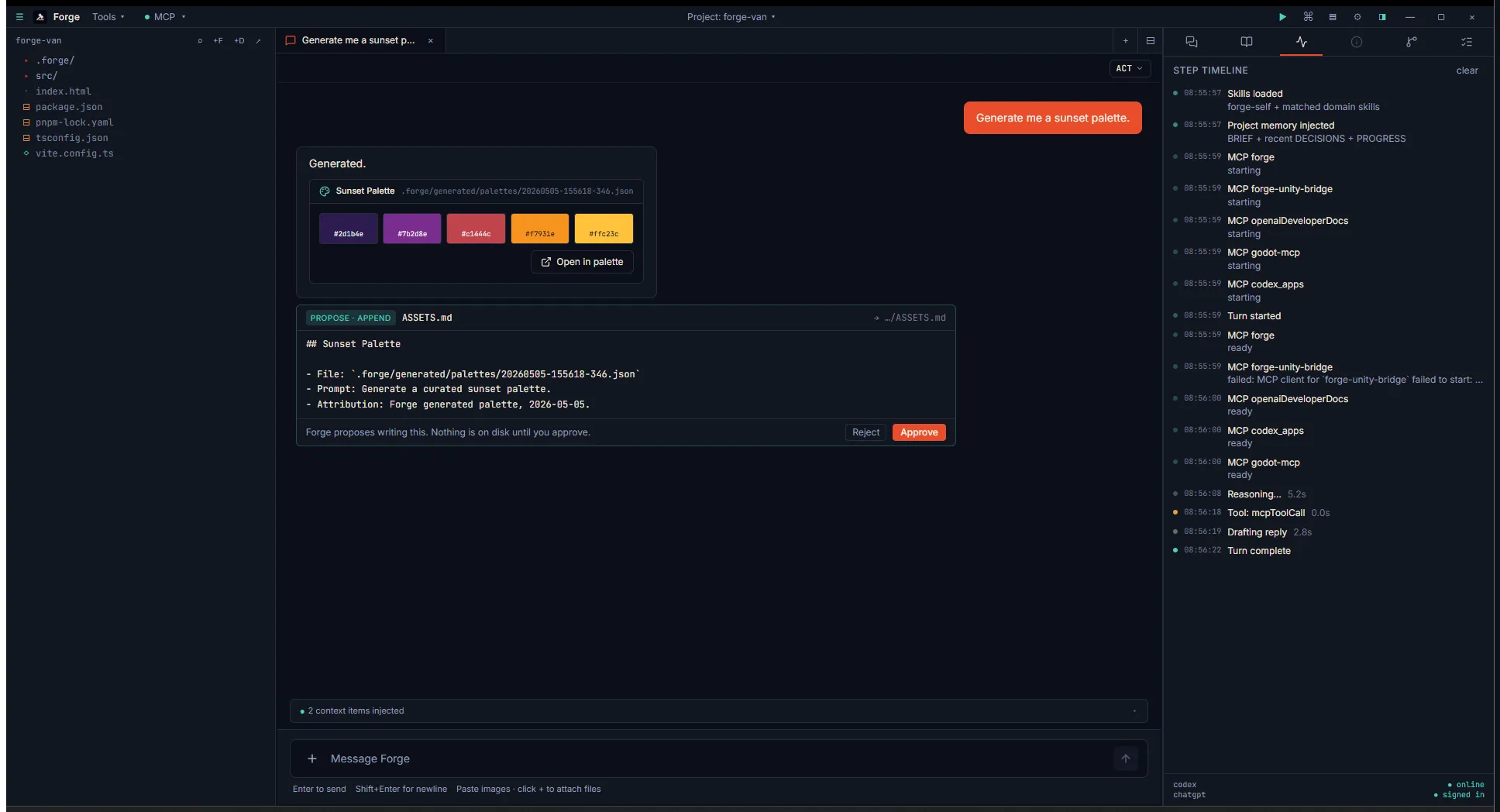
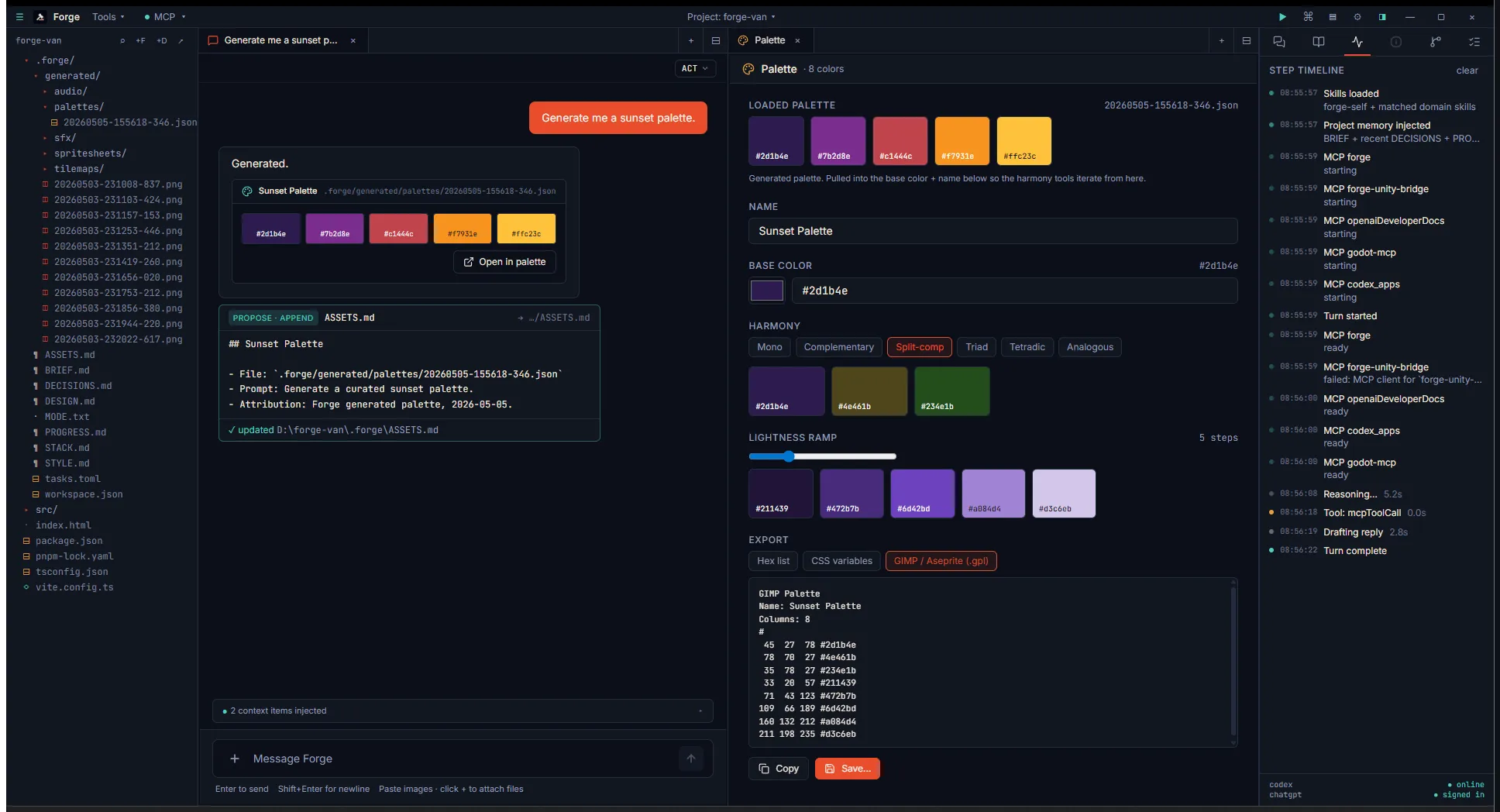
Click Open in palette and the palette tool opens with the sunset palette pre-loaded as a “Loaded palette” field, the first swatch seeded as the base color, and the harmony tools ready to derive variants:
Tileset + tilemap chain
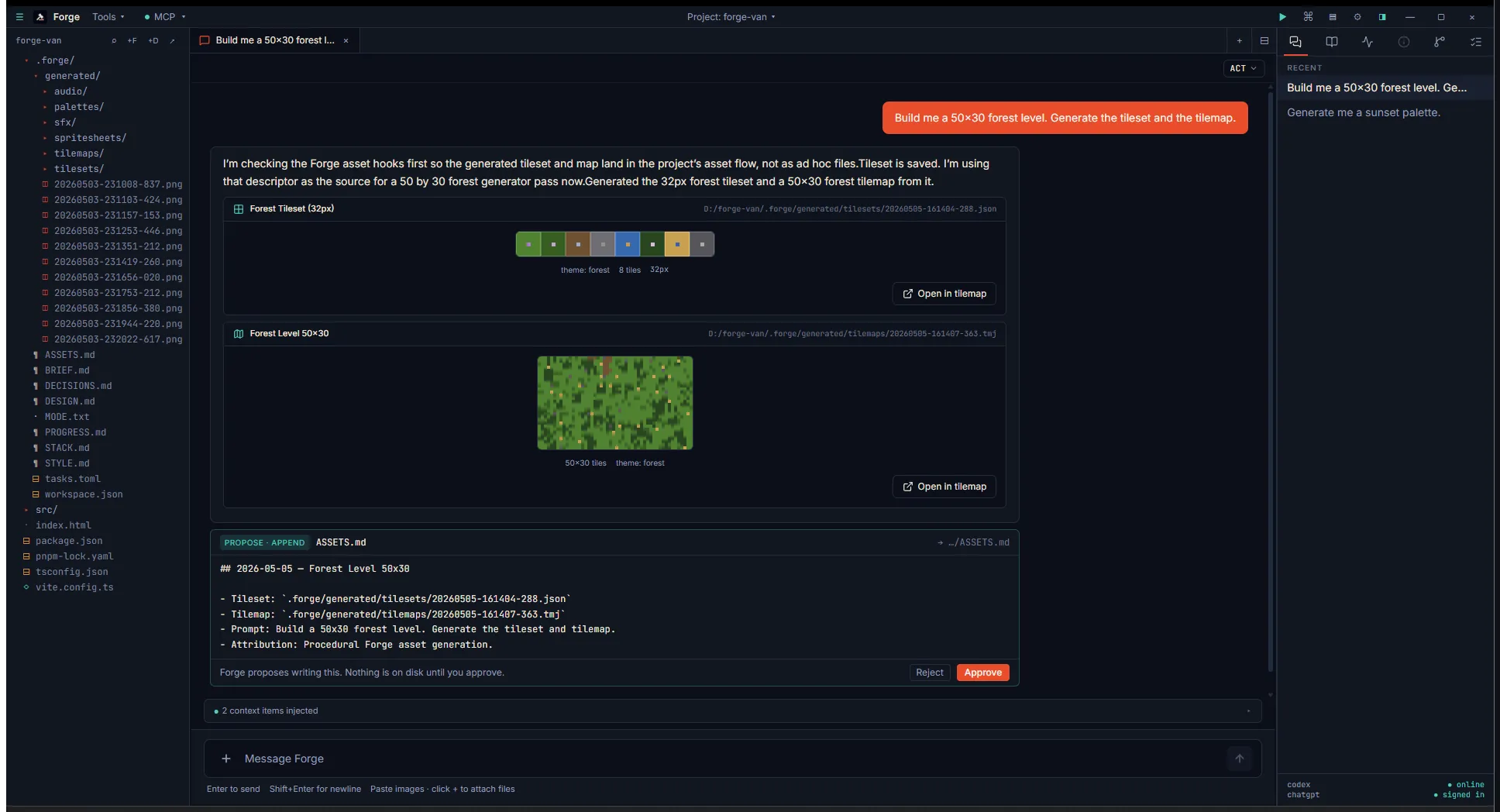
Section titled “Tileset + tilemap chain”“Build me a 50×30 forest level” triggers two MCP calls: tileset
first, then tilemap. The chat gets two cards in document order — the
tile strip preview and the mini-rendered map (each tile drawn at
preview scale by reading the saved .tmj data array):
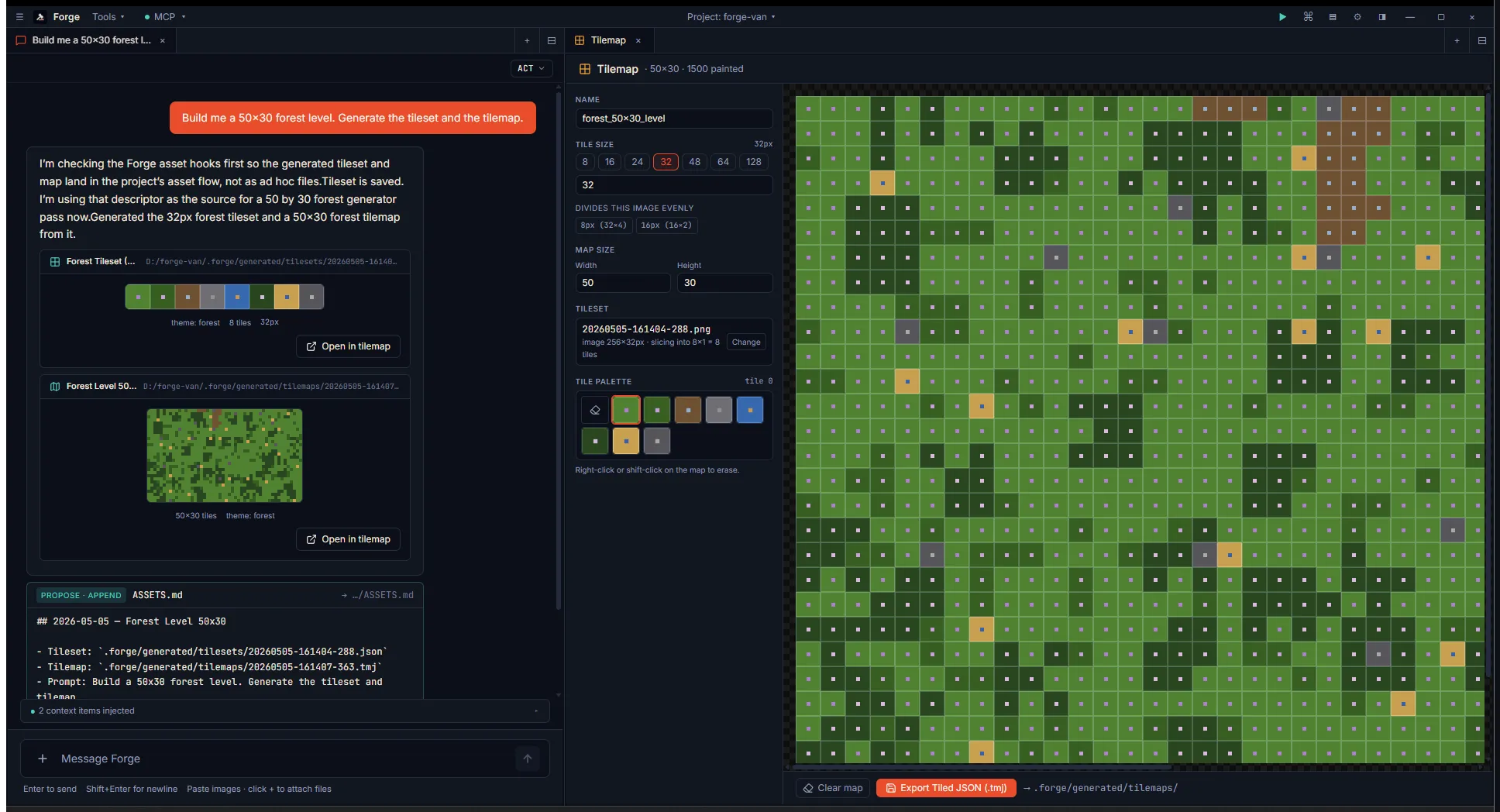
Clicking the tilemap card opens the tilemap editor with the tileset auto-loaded, the level data already painted, and the tile palette ready for further edits:
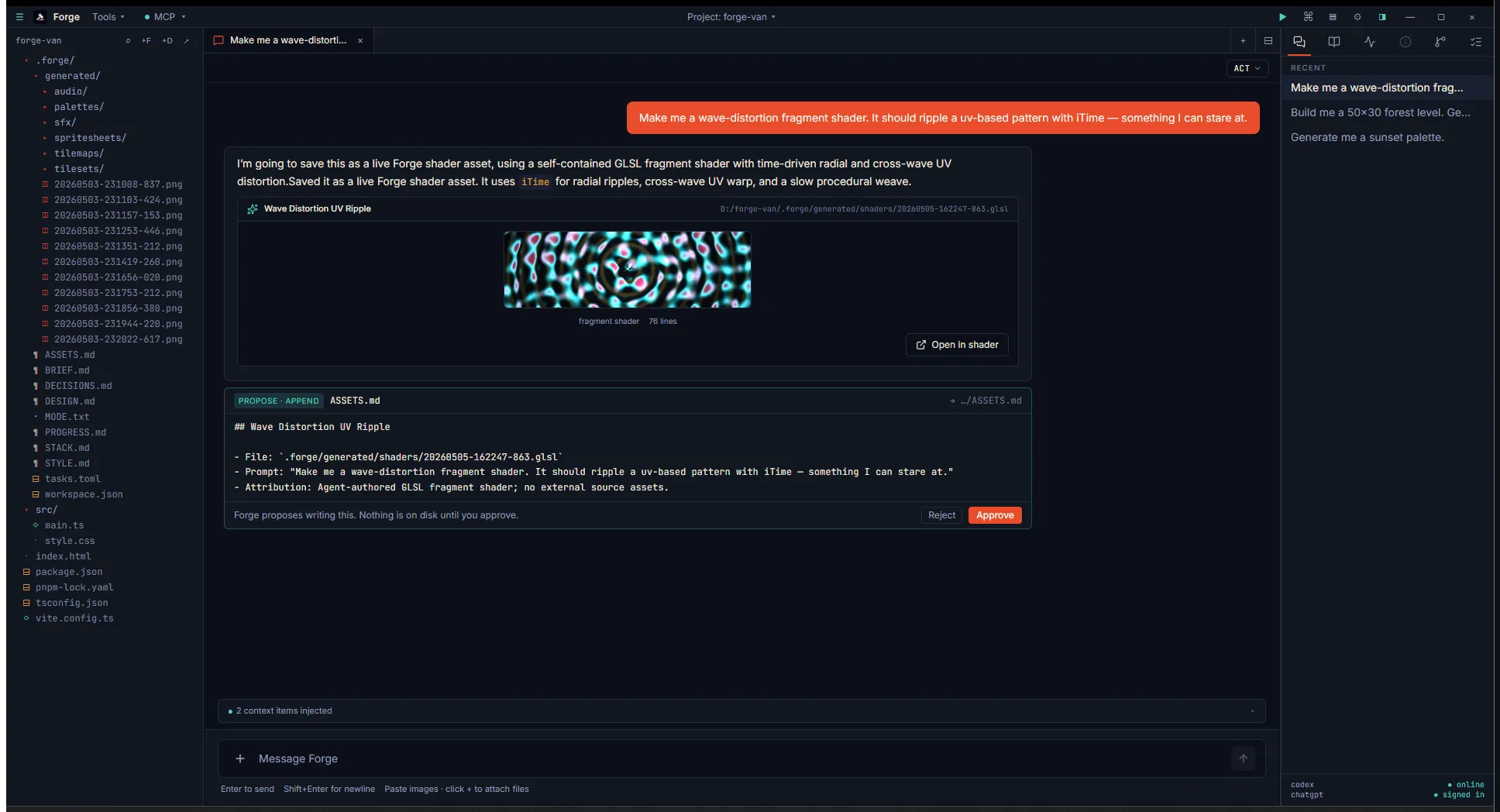
Live shader preview
Section titled “Live shader preview”Ask for a wave-distortion fragment shader. The agent writes the GLSL
inline and saves it via forge.generate_shader. The card runs a
live WebGL2 preview at ~30fps right in chat — no editor open
required, and compile errors render in red inline:
Audio: SFX and voice
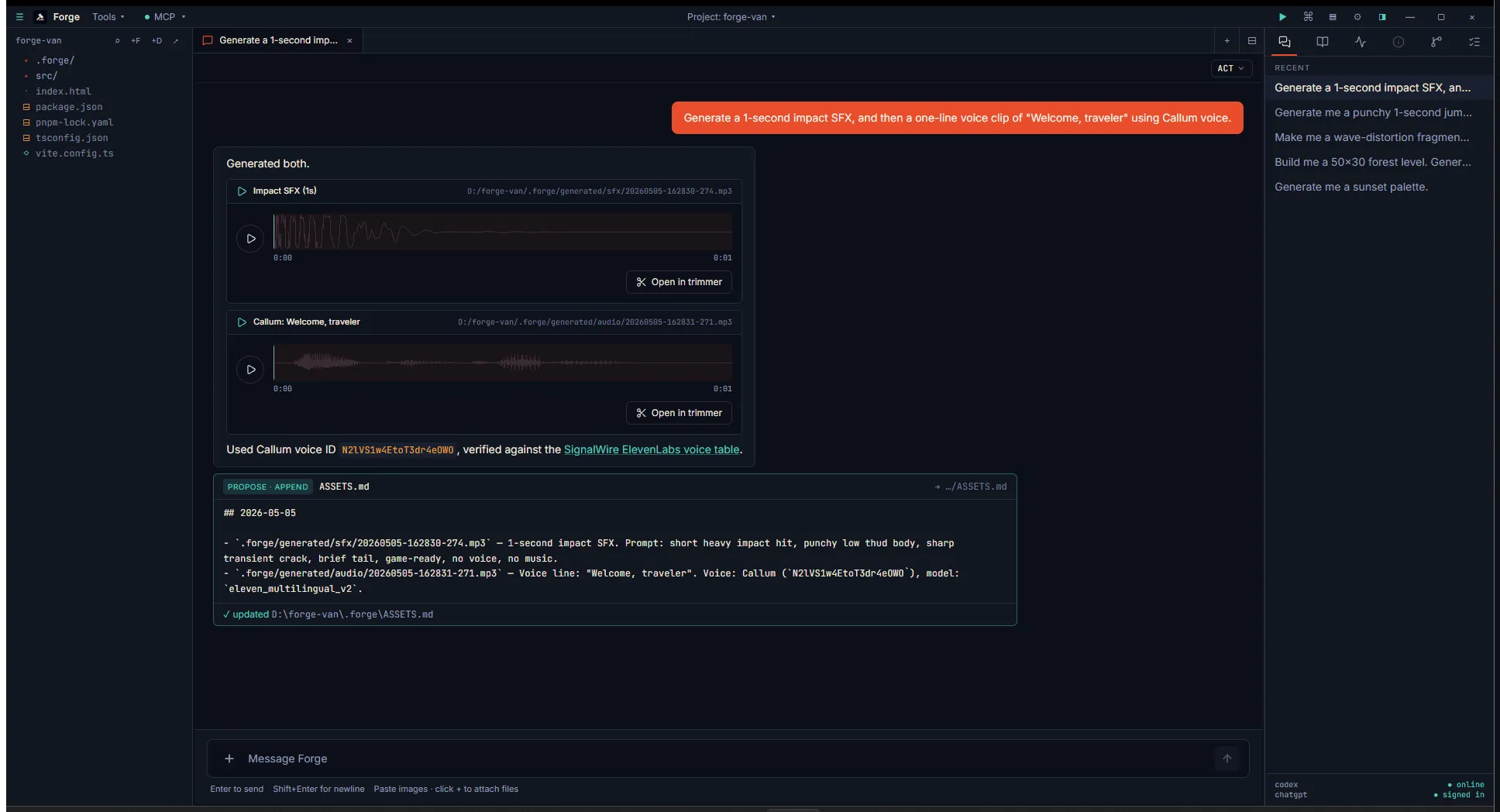
Section titled “Audio: SFX and voice”ElevenLabs free-tier SFX and TTS render as inline waveform cards with play buttons:
Sprite sheet from chained image-gen
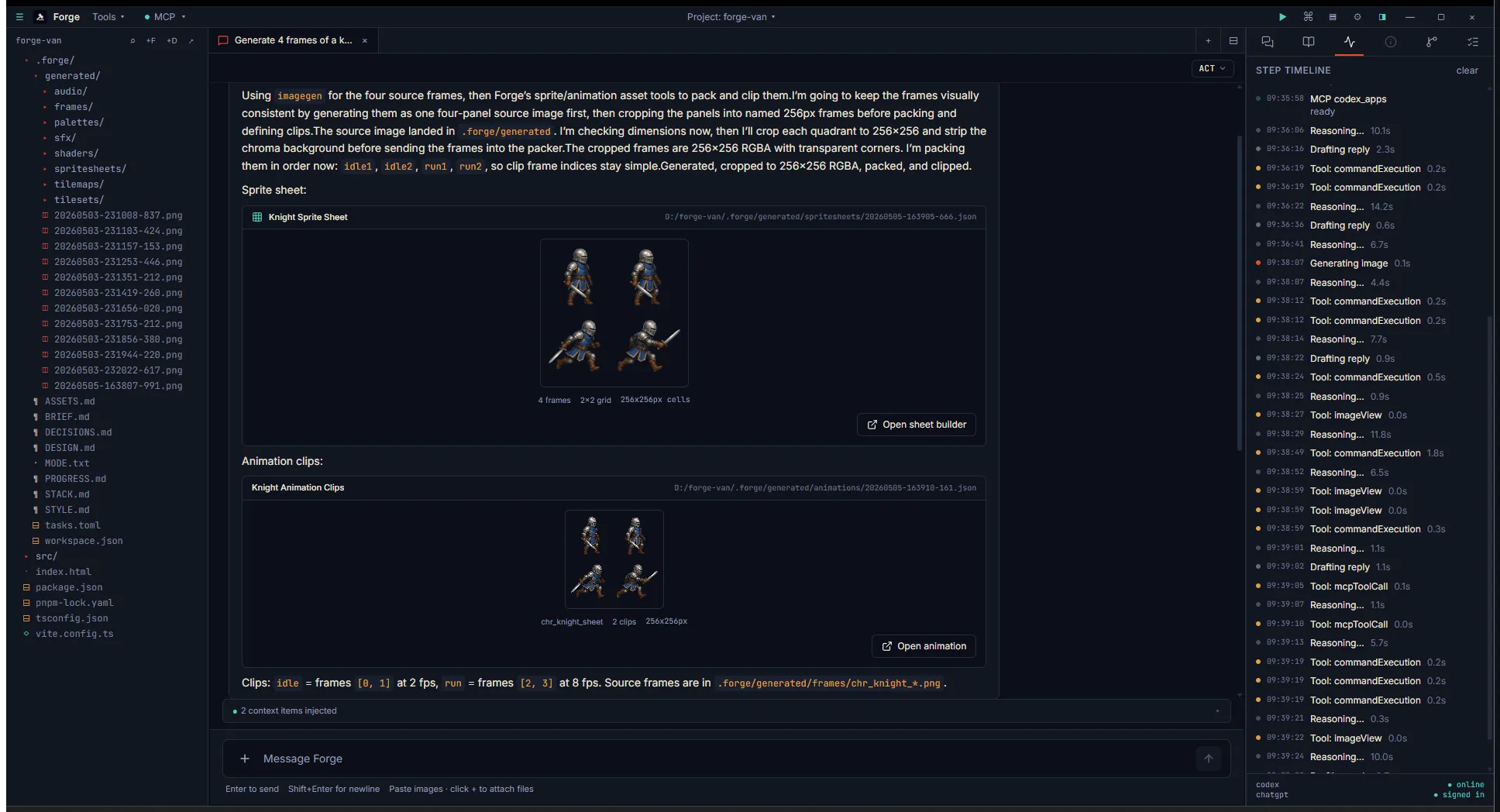
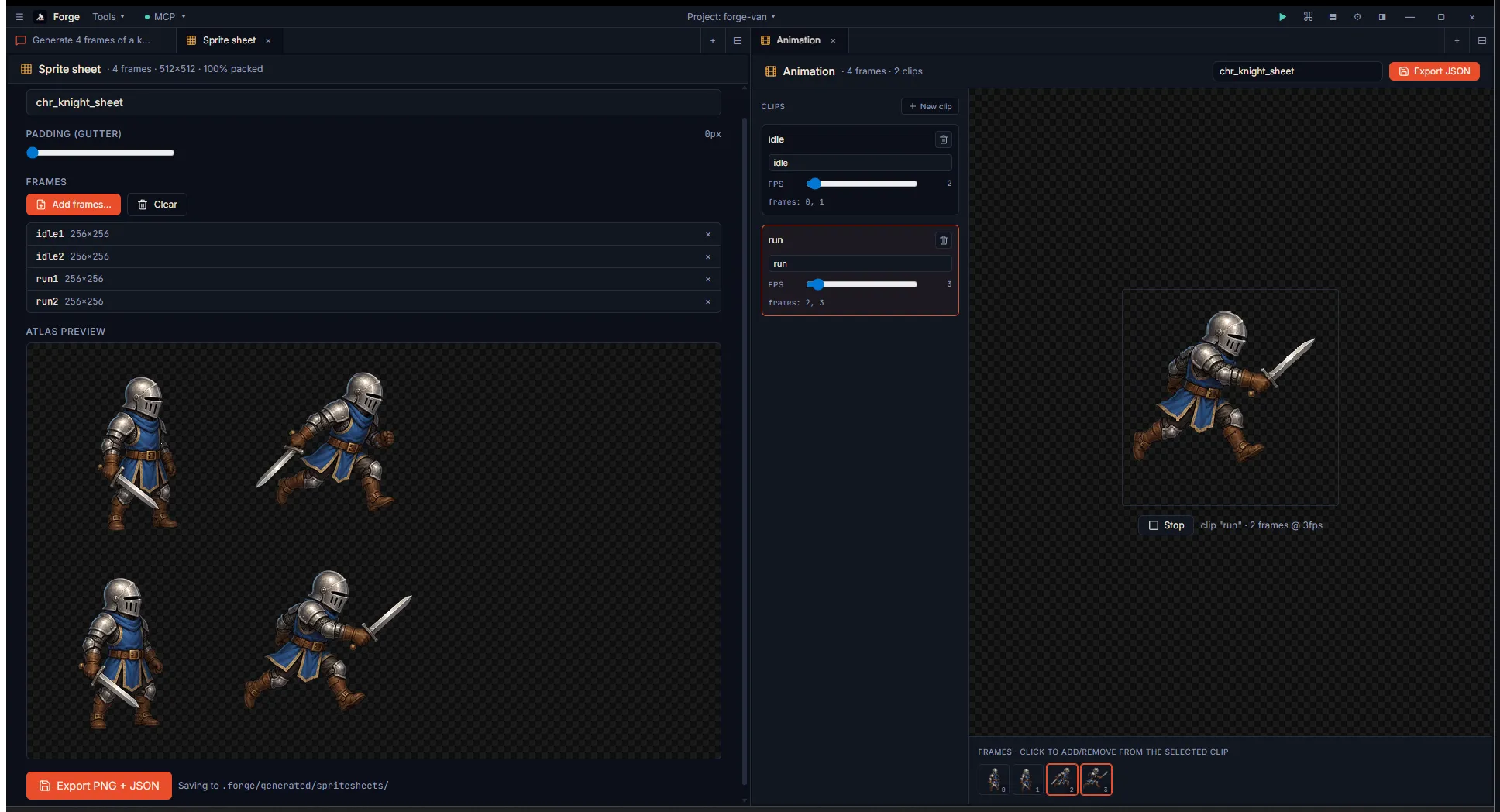
Section titled “Sprite sheet from chained image-gen”“Generate 4 frames of a knight idle/run and pack them into a sheet”
fires four image-gens (or one composite split, like the agent did
here for visual consistency) → one generate_spritesheet call →
optional generate_animation_clips. Two summary cards land in chat:
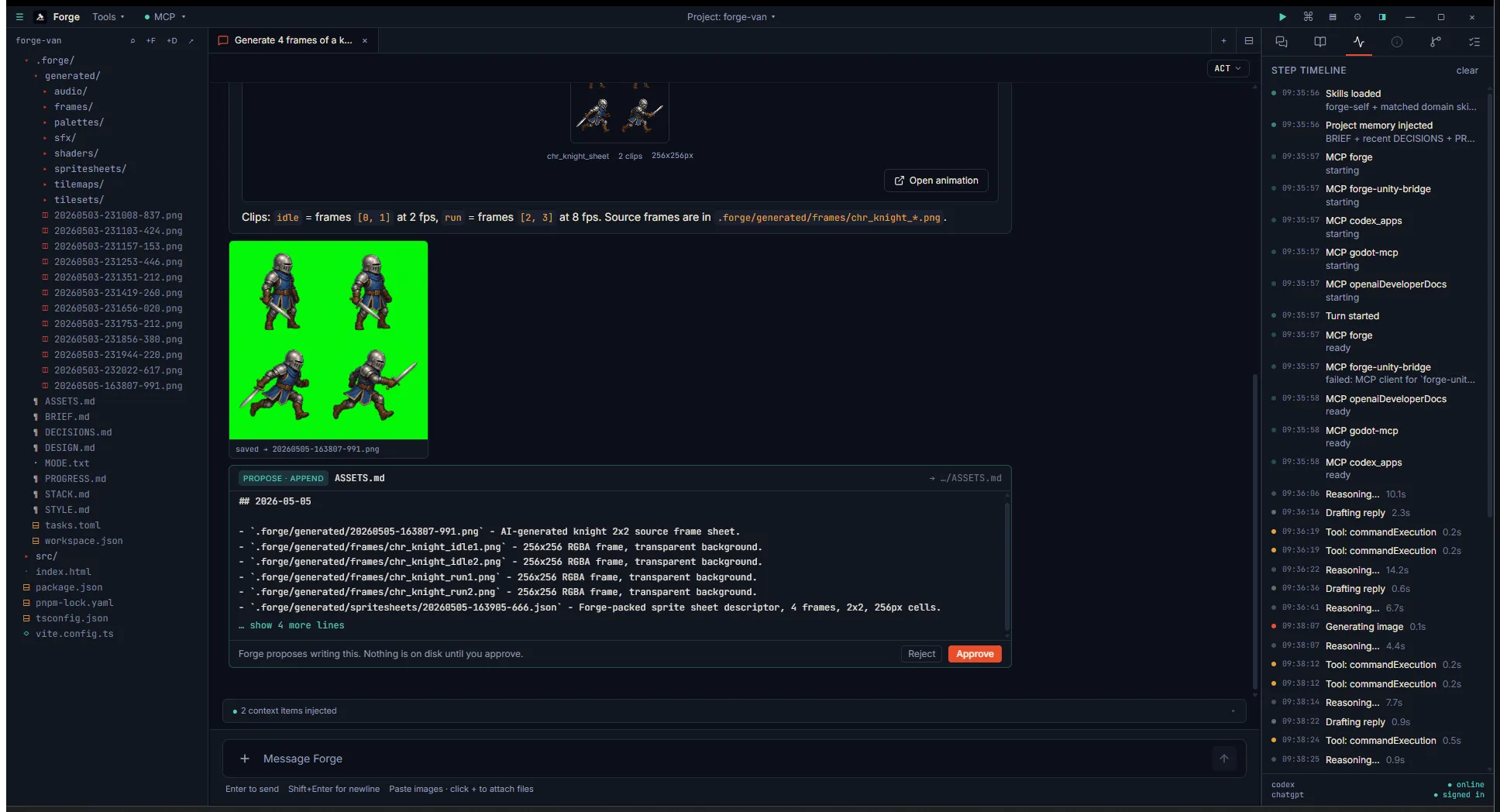
The agent’s clever move: a single composite image with all four poses kept the lighting + proportions consistent, then split into four PNGs before packing:
Click into both editor tabs and you see the sprite sheet builder
side-by-side with the animation timeline — the latter cycling
through your idle clip live:
Parallax layers with depth
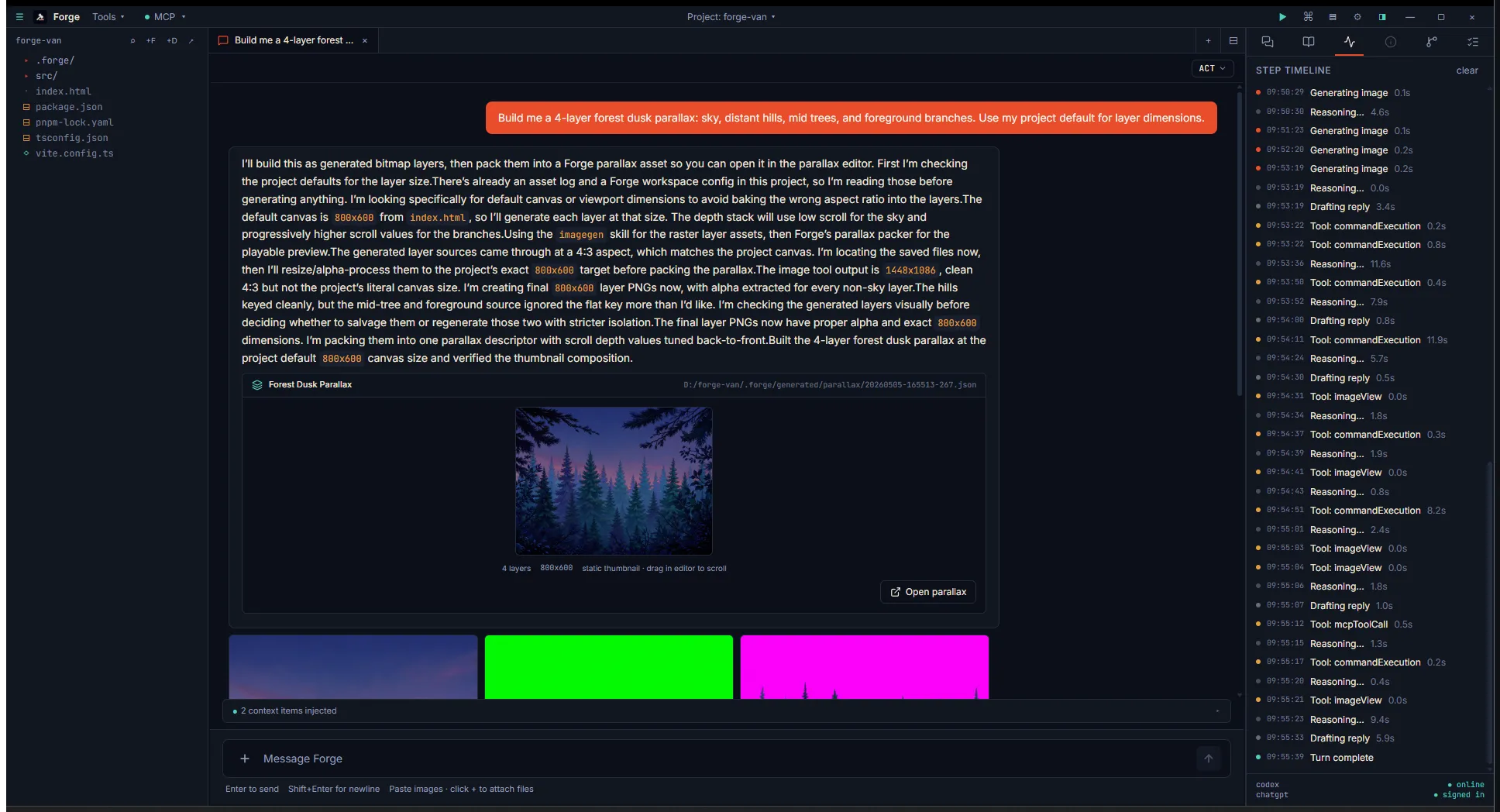
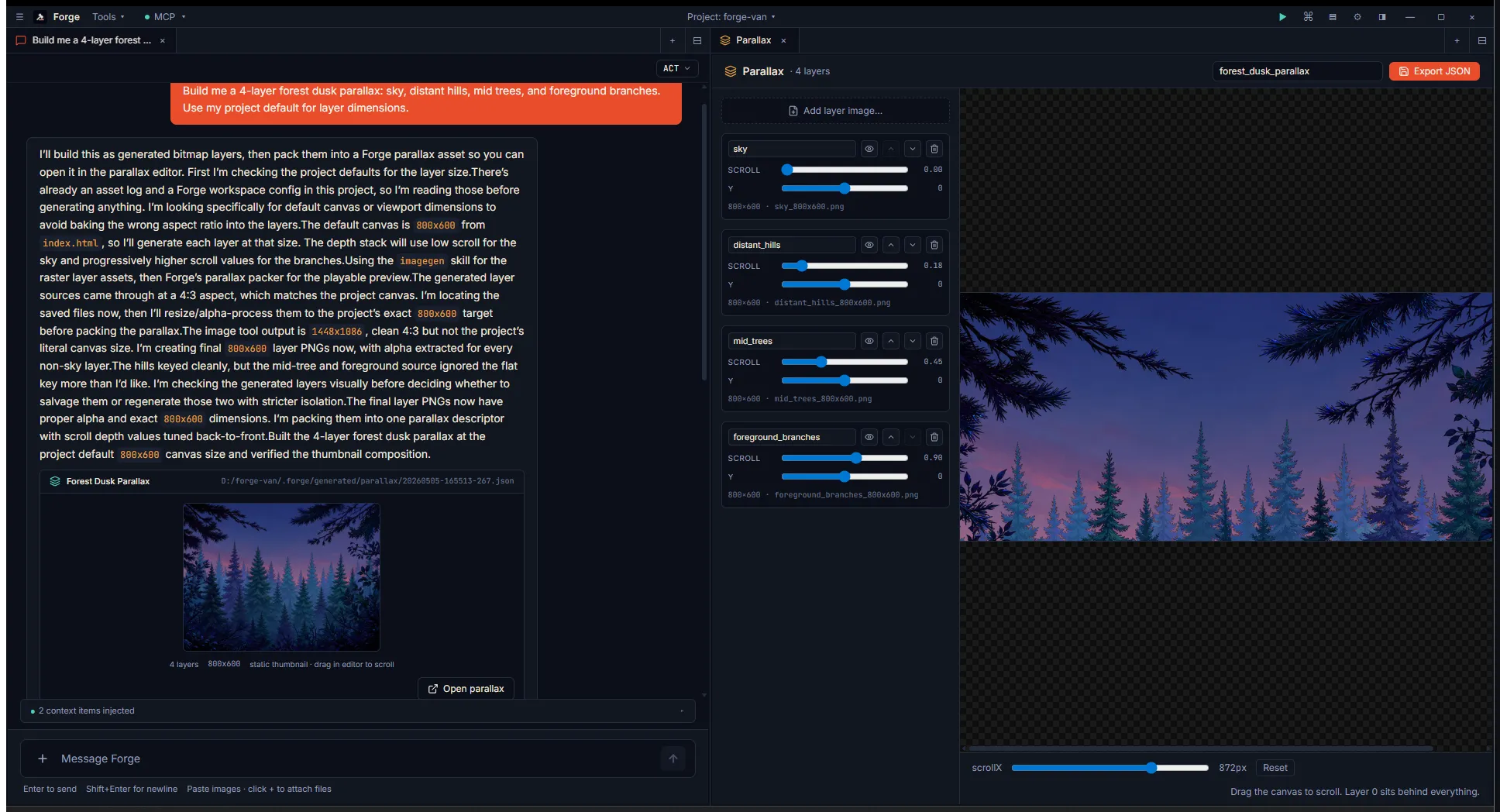
Section titled “Parallax layers with depth”“Build me a 4-layer forest dusk parallax” → four image-gens →
generate_parallax_layers with the saved paths and per-layer scroll
multipliers (sky=0, hills=0.2, trees=0.5, branches=1.0). The card
shows a static stacked thumbnail composing all four layers at rest:
The editor opens with each layer’s scroll multiplier + Y offset slider on the left rail; drag the canvas and the depth comes alive — sky stays still, branches track 1:1:
Multi-character dialog tree
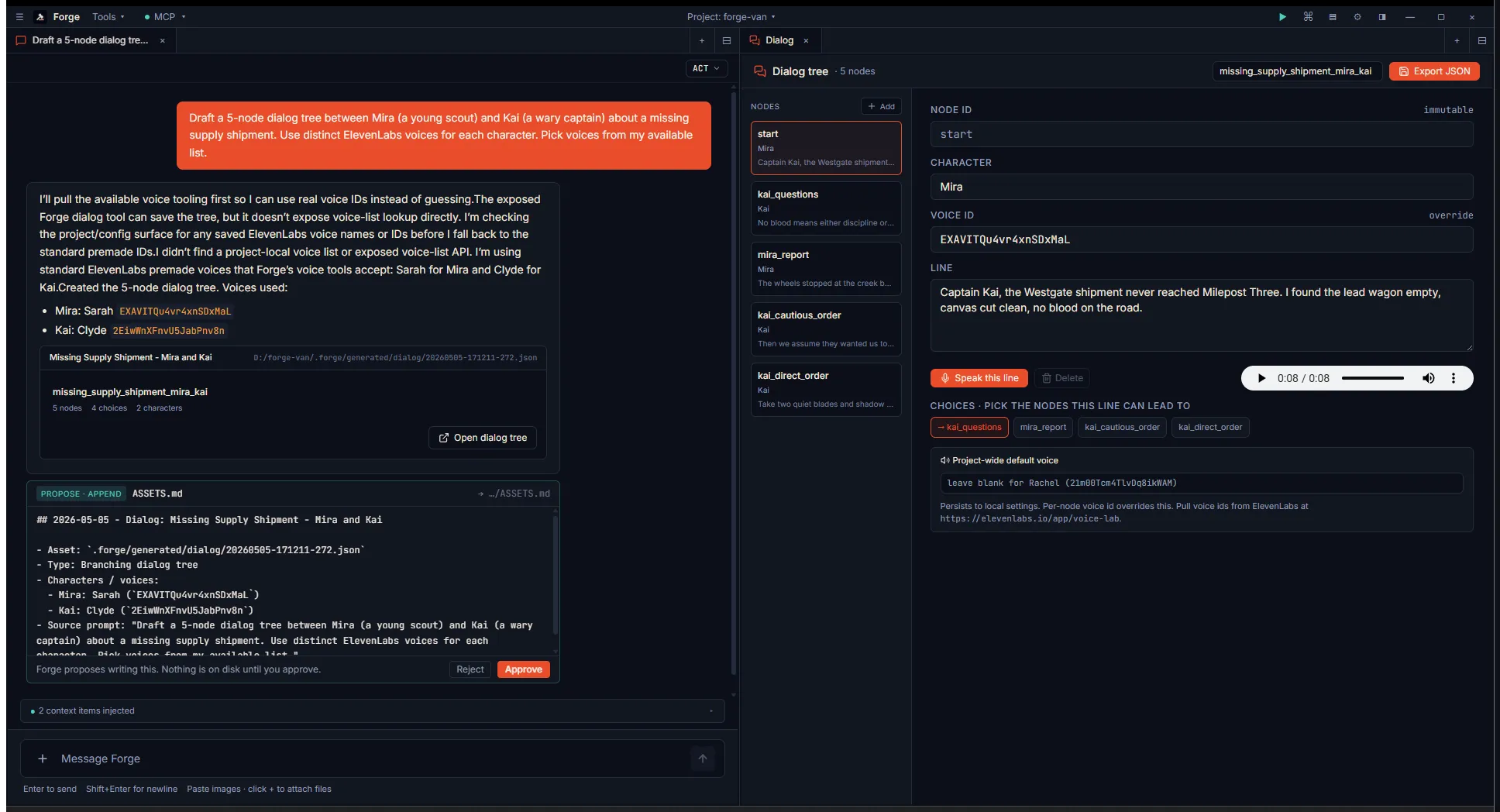
Section titled “Multi-character dialog tree”forge.list_voices returns the user’s actual voice list; the agent
then assigns distinct voices to each speaker before saving the dialog
tree. Each node’s Speak button hits ElevenLabs with the assigned voice:
The card
Section titled “The card”Every successful tool call returns the same shape:
{ "savedPath": "D:\\projects\\forest\\.forge\\generated\\sfx\\1746450000000.mp3", "projectRelativePath": ".forge/generated/sfx/1746450000000.mp3", "byteCount": 28345, "forgeLinkBlock": "```forge-link\npath: ...\npreview: audio\n..."}The agent drops forgeLinkBlock verbatim into chat. The chat parses
the fenced block and renders the right preview:
- audio — waveform thumb + play/pause + open-in-trimmer button.
- image — thumbnail + open-in-image-viewer button.
- palette — inline swatch row + open-in-palette-tool button.
- spritesheet — composed sheet thumbnail + open-in-builder.
- tileset — strip preview + open-in-tilemap.
- tilemap — mini-rendered map (each tile drawn at preview scale)
- open-in-tilemap.
- shader — live WebGL2 preview at ~30fps + open-in-sandbox.
- parallax — static stacked layers + open-in-editor.
- level — composed level thumbnail + open-the-level-preview.
- platformerscene — painted-ground scene thumbnail + open-the-scene-preview.
- animation — sheet preview + clip count.
- dialog — node count + character count.
Click the button → the matching editor tab opens with the asset already loaded. No file picker, no copy-paste of paths.
A worked example: a forest level in three turns
Section titled “A worked example: a forest level in three turns”You ask:
Build me a 60×20 forest level: tileset, populated tilemap, four-layer parallax background, and a hero sprite with idle / run animations.
The agent works through the chain:
1. forge.generate_tileset(theme="forest")   → savedPath A (forest tileset PNG + .json)   → drops forge-link card #1: "Forest tileset · 8 tiles · 32px"
2. forge.generate_tilemap(tileset_path=A, width=60, height=20)   → savedPath B (.tmj with painted forest level)   → drops forge-link card #2: "Forest level · 60x20 · forest"
3. (4× image-generation calls — sky, hills, trees, foreground)   forge.generate_parallax_layers(layers=[sky, hills, trees, fg])   → savedPath C (parallax descriptor + thumbnail)   → drops forge-link card #3: "Forest parallax · 4 layers · 800x320"
4. (8× image-generation calls — hero idle/run frames)   forge.generate_spritesheet(frames=[idle1, idle2, ..., run4])   → savedPath D (packed sheet + descriptor)   → drops forge-link card #4: "Hero sheet · 8 frames · 4x2 grid"
5. forge.generate_animation_clips(sheet_path=D, clips=[     { name: "idle", frames: [0,1], fps: 6 },     { name: "run",  frames: [2,3,4,5,6,7], fps: 12 },   ])   → savedPath E (animation JSON)   → drops forge-link card #5: "Hero animations · 2 clips"
6. forge.generate_platformer_level(     tilemap_path=B, parallax_path=C, character_sheet_path=D,   )   → savedPath F (level descriptor + composed thumbnail)   → drops forge-link card #6: "Forest level · parallax · character"
Six cards in chat, in document order, each clickable. You preview the tileset, then the populated level, then the parallax, then the hero animations cycling, then the bundled level scene with everything composed. You click into card #6 → the level preview tab opens with sky-hills-trees-foreground in the back, the painted tilemap on top, hero sprite at the default position. Drag → parallax depth, tilemap panning, hero anchored to the camera.
If you don’t like the layout: click card #2 → tilemap editor opens with the same tileset + map data, you repaint, re-export. Re-open card #6 to see the new composition.
For platformer-perspective levels (side-scrolling, parallax behind),
prefer forge.generate_platformer_scene over generate_platformer_level
— it ships a painted ground silhouette instead of a tile grid, so
painted parallax stops fighting schematic blocks. See Platformer
scenes for the full chain.
Pairing with ASSETS.md
Section titled “Pairing with ASSETS.md”The agent’s forge-self.md skill tells it to pair every saved asset
with a forge-propose ASSETS.md append in project mode, so your
project’s memory keeps a durable log of what was generated, when, and
what prompt produced it. The forge-link is for your eyes; the log
is for the project’s memory.
What the agent doesn’t do
Section titled “What the agent doesn’t do”- Project source files: the asset loop never writes to
src/orAssets/. Generated files live under.forge/generated/and the user copies them into their engine project explicitly. (Engines that use folder mirrors — Godot — pick them up automatically; Unity needs the explicit “Import to Assets/” button on each asset card.) - Code edits: those go through the existing
forge-propose-editper-hunk review flow. The asset loop is for content; code edits are for code. - Free-tier music: ElevenLabs Music is paid-only. The agent’s
skill copy says to confirm with the user before calling
generate_musicif cost matters.
What you can do as the user
Section titled “What you can do as the user”- Edit the result. Every preview card opens its tab pre-loaded. The tools you’d use to author from scratch all support re-saving, so you can iterate on the agent’s output without starting over.
- Override defaults. All tools accept a
nameandlabel. The curated theme tools accept overrides (colors,theme,seed). - Chain manually. You can call any tool independently — the agent prefers to chain, but each tool is standalone.
- Disable the loop. Settings → MCP servers → toggle the
forgeentry off. The tools disappear from Codex’s tool list on next sidecar restart.
Path resolution
Section titled “Path resolution”Every tool that takes a path argument accepts:
- An absolute path (drive letter or POSIX root).
- A project-relative path. Resolved against the active project’s root.
- Project-relative paths require an active project; in open mode (no project), use absolute paths.
The chained workflow is simpler than it looks: each tool returns
savedPath (absolute), and the agent passes that absolute path into
the next tool. No path arithmetic needed.